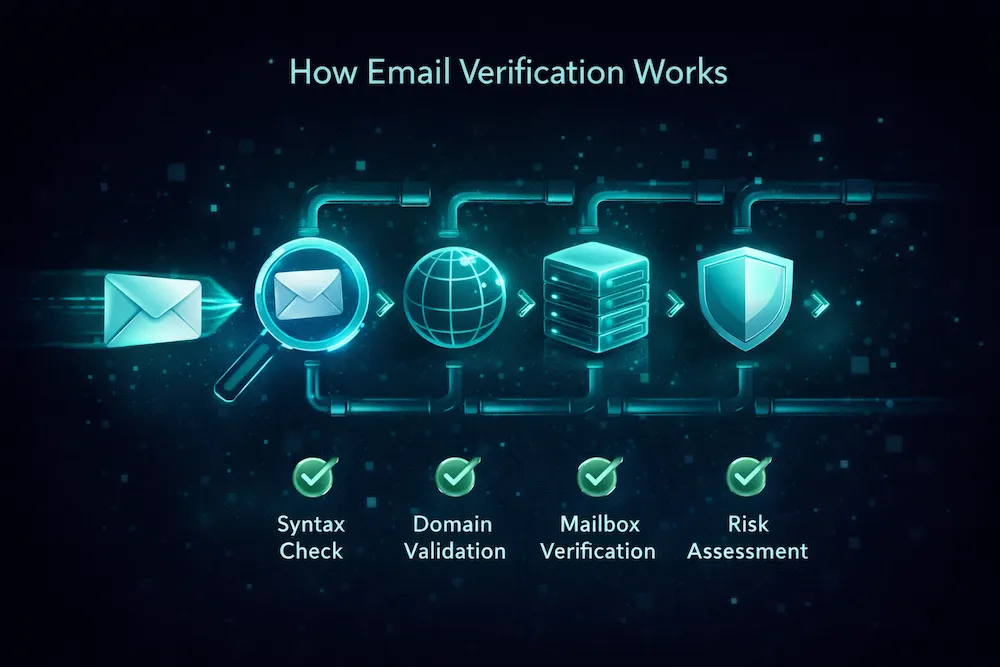
How to Verify Email Addresses Inside Claude and ChatGPT


A growing share of everyday work now happens inside an AI assistant: drafting replies, researching prospects, triaging leads. But the moment you need to know whether an address is real — before replying to a suspicious signup, before adding a prospect to a sequence — you have to leave the chat, open a verifier, paste the address and carry the answer back.
As of August 2026 that round-trip is gone. ClearBounce ships a remote MCP server that plugs straight into Claude, ChatGPT, Claude Code and any other MCP-compatible client. Once connected, your assistant can verify an address with a live mailbox check, hunt down a business email from a name and a domain, and tell you how many credits you have left — all without you leaving the conversation. This guide covers what the integration does, how to set it up in each client, and how the sign-in works under the hood.
What the Model Context Protocol is
The Model Context Protocol (MCP) is an open standard, introduced by Anthropic in November 2024, that gives AI assistants a uniform way to call external tools. Instead of every service building a separate plugin for every assistant, a service publishes one MCP server and every MCP-capable client can use it — Claude, ChatGPT’s developer mode, Claude Code, and editors like Cursor and VS Code among them.
ClearBounce’s server is listed in the official MCP Registry as net.clearbounce/email-verification, published under our own verified domain. The endpoint itself lives at https://clearbounce.net/mcp.
Three tools your assistant gets
Connecting adds exactly three read-only tools to your assistant — nothing that can touch billing, settings or your data:
- verify_email — runs a full verification on one address: syntax, MX records, a live mailbox check, disposable and role-account detection, typo rescue and risk scoring. It returns a status (deliverable, undeliverable, risky, unknown), a 0–100 quality score and the detailed checks. Costs 1 credit — the same as every other ClearBounce channel.
- find_email — give it a name and a company domain and it returns likely business addresses from published sources and common company patterns, like the Email Finder in the dashboard. Free.
- check_credits — reports your remaining balance. Free.
You never call the tools by name. You just ask — “is anna.keller@brightlabs.io safe to email?”, “find the email of Jane Porter at northwindtraders.com and verify it” — and the assistant decides when to use them and folds the result into its answer.
Connect it to Claude
Custom connectors are available on Claude’s web and desktop apps — including the free plan, which allows one custom connector (paid plans allow more):
- Open Settings → Connectors → Add custom connector.
- Name it ClearBounce and paste
https://clearbounce.net/mcpas the URL. - Click Add. A ClearBounce sign-in window opens.
- Sign in (or create a free account), review the permissions and click Authorize.
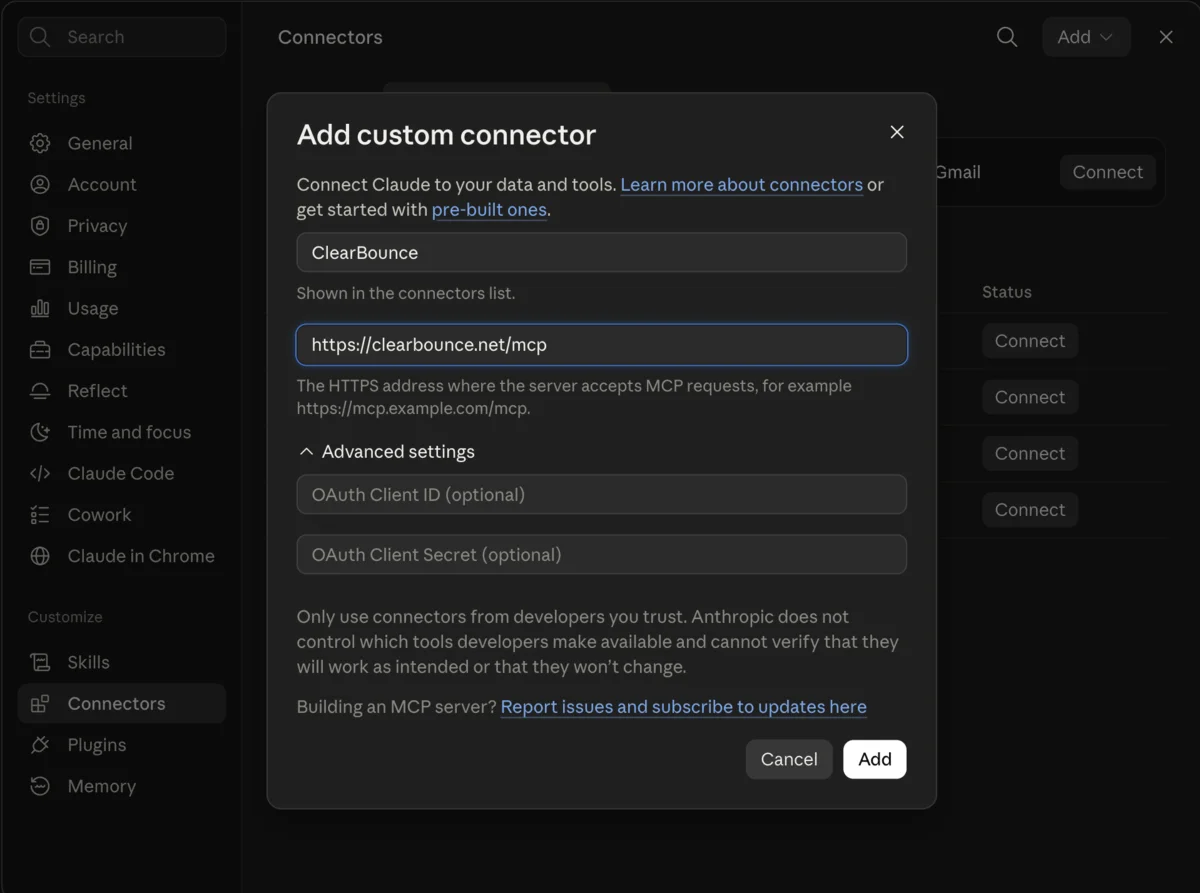
Back in the chat, Claude now lists ClearBounce under its connectors, and you can set per-tool permissions — for example, require approval before each verification or let it run automatically.
Connect it to ChatGPT
ChatGPT supports custom MCP connectors through developer mode:
- Enable Settings → Apps & Connectors → Developer mode.
- Create a new connector: name it ClearBounce, set the server URL to
https://clearbounce.net/mcp. - Pick OAuth as the authentication method, acknowledge the custom-server notice and click Create.
- Sign in to ClearBounce when prompted and approve the connection.
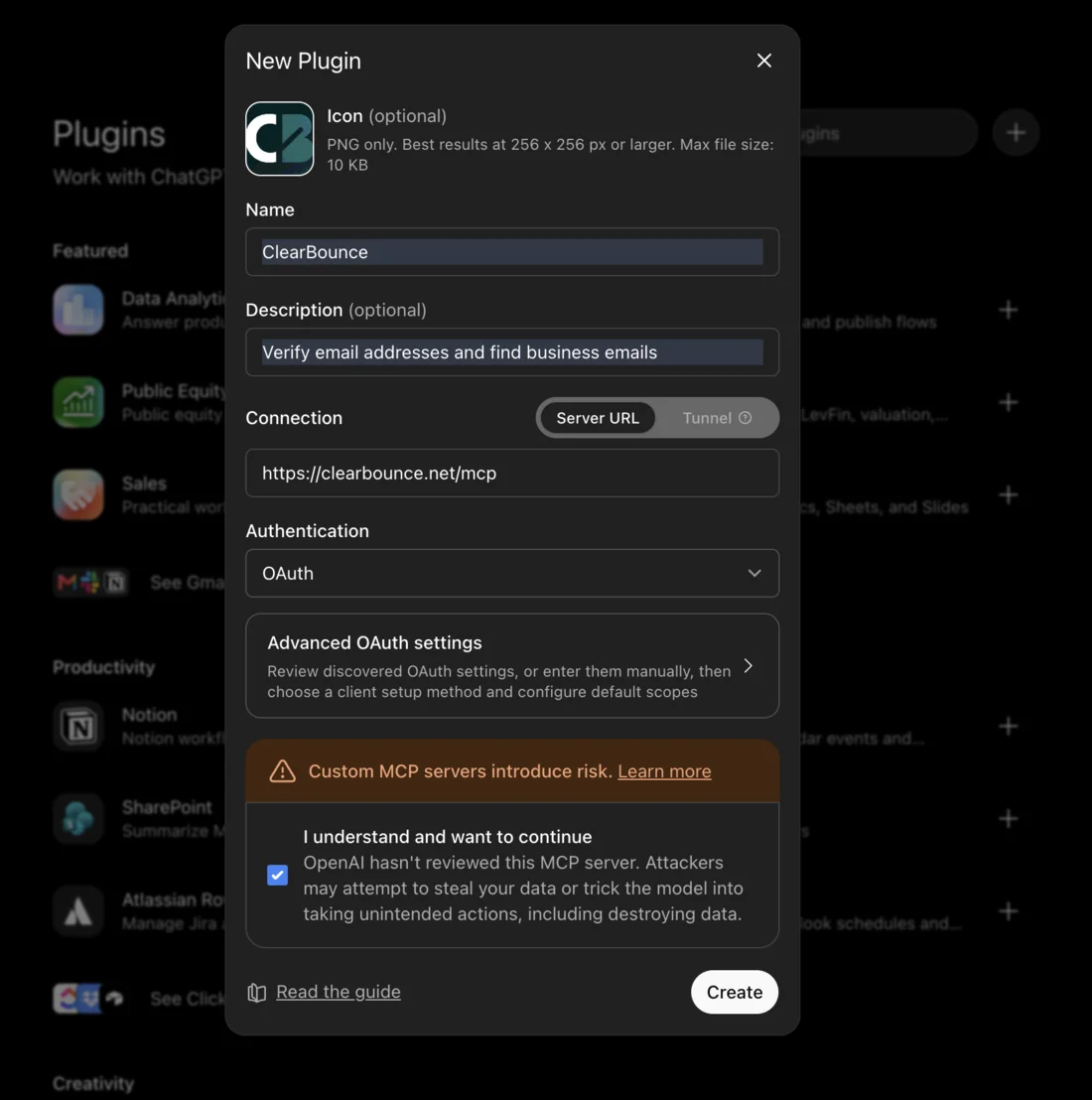
One thing to know: a connector you create this way lives in your ChatGPT account only. Colleagues who want it create it the same way with their own ClearBounce login.
Claude Code, Cursor and other developer tools
Developer tools usually skip OAuth and authenticate with an API key in a header. Create a key in the dashboard, then for Claude Code run:
claude mcp add --transport http clearbounce \
  https://clearbounce.net/mcp \
  --header "X-API-Key: YOUR_API_KEY"
Type /mcp afterwards and ClearBounce shows up as connected with its three tools. Cursor, VS Code, Windsurf and Zed follow the same pattern: add an HTTP MCP server with the URL above and an X-API-Key header. If you are already using our REST API, the same key works for both — and both show up in the same usage history. More developer-focused detail lives on our developers page.
How the sign-in works
Claude and ChatGPT have no place to type an API key, so the server implements OAuth 2.1 with PKCE. When you click Authorize, you are signing in on clearbounce.net, not in the assistant — your password never passes through the chat window. The consent screen spells out exactly what the connection can do before anything happens:
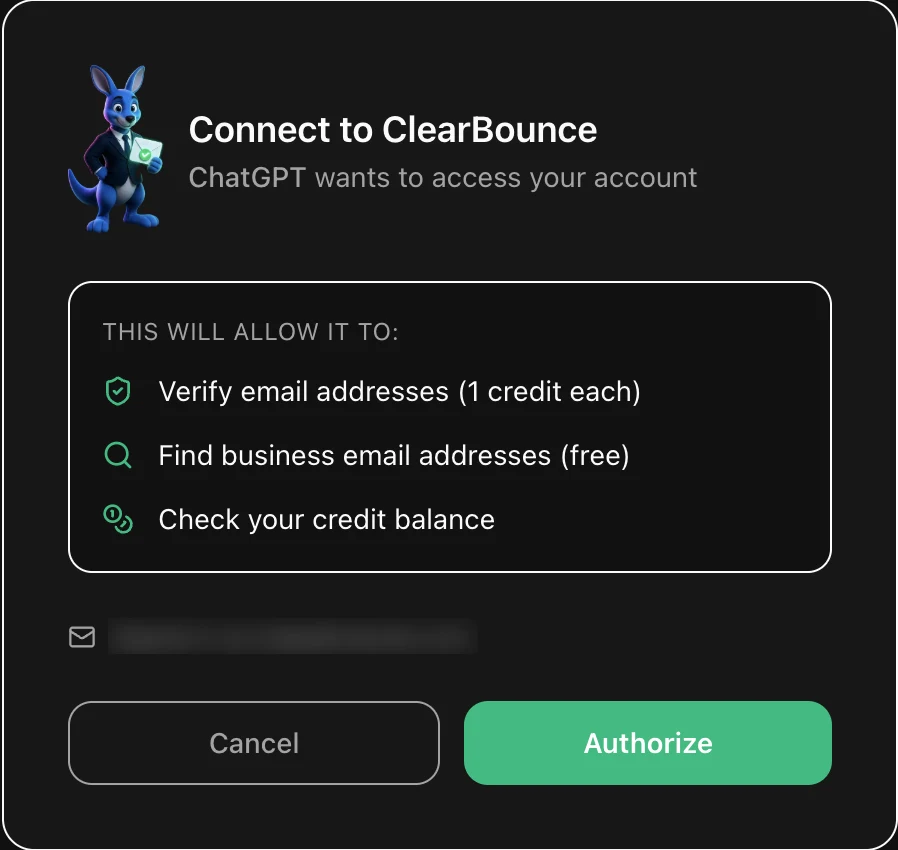
Revoking is symmetric: disconnect from the assistant’s settings, or delete the API key in your dashboard, and access stops.
What it looks like in day-to-day work
A few patterns we already use ourselves:
- Before replying to a lead. A signup or inbound enquiry looks off? Ask the assistant to check the address while you draft the reply. A catch-all or risky verdict changes how much effort the reply deserves.
- Prospecting in one pass. “Find the email for the head of marketing at example.com and verify it” chains find_email and verify_email in a single request — the address arrives already labelled.
- Sanity checks during CRM work. Pasting a handful of addresses from a spreadsheet into the chat is faster than switching tools, and each one comes back with a score and reason.
The honest limit: this is built for in-conversation checks, not list processing. If you have a file with thousands of addresses, bulk verification in the dashboard runs the same engine in parallel and returns a labelled file — and if you are wondering whether cleaning is worth it at all, our bounce-rate benchmark is the place to start. How the engine reaches its verdicts is covered in How Email Verification Works.
What it costs
The MCP server is a channel, not a product tier, so pricing is unchanged: verifying an address costs 1 credit whether it comes from the dashboard, the API or your assistant. Finding addresses and checking your balance are free. New accounts start with 100 free credits and ClearBounce credits never expire — worth knowing if you have been burned by verifiers that void unused credits after a year.
Frequently asked questions
Does connecting cost anything?
No. Connecting is free, and so are finding email addresses and checking your balance. Only verify_email spends credits — 1 credit per address, the same price as the dashboard and API. New accounts start with 100 free credits, and ClearBounce credits never expire.
Which AI tools work with the ClearBounce MCP server?
Claude (web and desktop, on plans that support custom connectors), ChatGPT with developer mode enabled, Claude Code, and MCP-capable editors such as Cursor, VS Code, Windsurf and Zed. Anything that speaks the Model Context Protocol can connect to the same URL.
Is it safe to connect my ClearBounce account?
The connection uses OAuth 2.1 with PKCE: you sign in on clearbounce.net and approve access on a consent screen, so your password is never shared with the assistant. The server exposes three read-only tools and nothing else — no billing, no account settings. You can revoke access at any time from your assistant's settings or by rotating your API key.
Can I clean a whole mailing list from the chat?
You can verify addresses one at a time, which is what conversations actually need. For a file with thousands of addresses, bulk verification in the ClearBounce dashboard is the right tool — it runs the same engine in parallel and returns a downloadable, labelled list.
What happens if I run out of credits?
The verify_email tool returns a clear message with a link to top up instead of failing silently, and the free tools keep working. Your assistant will tell you what happened rather than guessing.
Conclusion
Email verification has always been a tool you go to. Putting it behind an MCP server turns it into something your assistant simply knows how to do — mid-draft, mid-research, mid-conversation. Setup is a URL and a sign-in: everything you need is on the MCP server page, and a free account with 100 credits is enough to try the whole flow, including in every other place ClearBounce plugs into.