Catch-All Emails: What They Are, Why They're Risky, and What to Do With Them


You ran your email list through a verification tool and got back a report. Valid, invalid, unknown -- and then a big chunk labeled "catch-all" or "accept-all." Now you're staring at hundreds (or thousands) of addresses with no clear answer: are they real or fake?
Most verification tools throw their hands up at catch-all emails. They return "risky" or "unknown" and leave the decision to you. That's not very helpful when 20% of your B2B list falls into this bucket.
Let's break down what catch-all emails actually are, why they're a problem, and what you should do with them -- without the guesswork.
What Is a Catch-All Email?
A catch-all email address is a mail server setting, not a type of email address. When a domain is configured as catch-all (also called "accept-all"), the server accepts emails sent to any address at that domain -- even addresses that don't exist.
For example, if acme.com is a catch-all domain, you could send an email to completely-made-up@acme.com and the server would accept it. It wouldn't bounce. It would just quietly disappear into a void -- or get routed to a catch-all inbox that nobody checks.
This is the opposite of how most email servers work. Normally, if you send to an address that doesn't exist, the server rejects it immediately and you get a bounce. With catch-all, the server says "sure, I'll take that" no matter what.
Why Companies Use Catch-All Servers
It might seem like an odd configuration, but companies have legitimate reasons for it:
- Never miss an email. If a client misspells your employee's name (jon vs. john), the message still gets delivered instead of bouncing.
- Privacy. Catch-all prevents outsiders from probing your domain to discover which employee mailboxes exist. Spammers and social engineers can't enumerate your team.
- Legacy setup. Many small businesses set this up years ago on Google Workspace or Microsoft 365 and never changed it. It's often the default in some hosting panels.
Catch-all is especially common among small and mid-size businesses. Some major providers like Google Workspace and Microsoft 365 make it easy to toggle on with a single setting.
The Problem: Why Verification Tools Can't Check Catch-All Emails
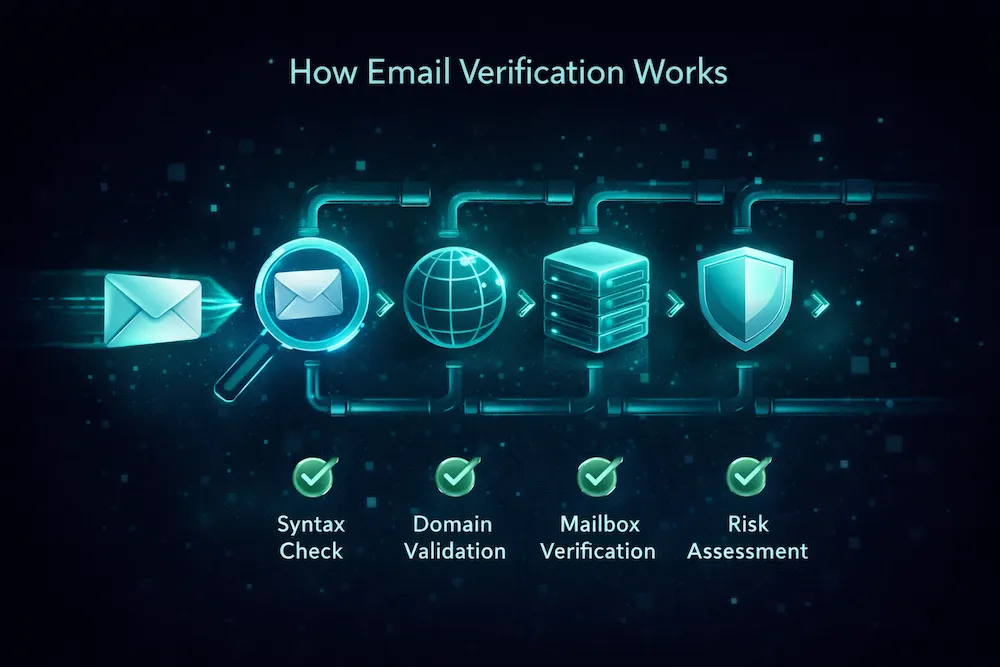
Here's why catch-all creates a headache for email verification. Standard verification works like this:
- The verification tool connects to the recipient's mail server
- It says "I have an email for user@domain.com -- will you accept it?"
- The server responds: either "yes, that mailbox exists" or "no, user unknown"
With a catch-all server, step 3 always returns "yes" -- regardless of whether the address is real or fake. The server is configured to accept everything. So the verification tool gets a positive response, but it's meaningless. The tool can't distinguish between a real employee and a completely invented address.
This is why most email verification services label catch-all addresses as "risky," "accept-all," or "unknown" -- they genuinely can't tell you whether the address is valid.
Catch-all addresses typically make up 10-30% of a B2B email list. That's a lot of addresses to be uncertain about.
What Happens When You Send to Catch-All Addresses
Sending to catch-all addresses isn't automatically dangerous, but it comes with real risks:
- Silent failures. The server accepts the email, but if the mailbox doesn't actually exist, your message goes nowhere. You won't get a bounce, but nobody reads it either. Your open rates and engagement metrics quietly drop.
- Delayed bounces. Some servers accept the email initially but then generate a bounce after processing. These "delayed bounces" or NDRs (non-delivery reports) arrive hours or days later and still count against your sender reputation.
- Spam traps. Anti-spam organizations sometimes plant trap addresses on catch-all domains. Since the server accepts everything, the trap works perfectly. Hitting one can land your domain on a blocklist overnight.
- Wasted budget. Every email you send to a non-existent catch-all address costs money -- your ESP charges per send, and you're getting zero return.
The tricky part is that some catch-all addresses are real people. If you remove all of them, you're potentially losing valid contacts. If you keep all of them, you're accepting the risks above.
How Catch-All Emails End Up on Your List
Catch-all addresses don't come with a warning label. They end up on your list through normal channels:
- Signup forms. A real person at a catch-all domain signs up. Their address is valid, but your verification tool can't confirm it because the server accepts everything.
- Purchased or scraped lists. B2B data providers often include addresses from catch-all domains. Some of these are real, many are guessed or fabricated (like firstname@company.com patterns).
- Business cards and events. You collect an email at a conference. The person's company uses catch-all. Perfectly real address, impossible to verify through standard SMTP.
- CRM imports. Historical data from a CRM migration might include addresses from domains that have since been configured as catch-all.
What to Do With Catch-All Emails
There's no single right answer here. It depends on how you got the addresses, your sending volume, and how much risk your sender reputation can tolerate. Here's a practical framework:
Option 1: Keep and send carefully
If the catch-all addresses came from opt-in signups, known business contacts, or verified sources, they're likely real. Send to them, but take precautions:
- Send to catch-all addresses in smaller batches, not all at once
- Monitor bounce rates closely after each send
- Remove any address that shows zero engagement after 2-3 campaigns
- Keep catch-all addresses in a separate segment so you can track their performance independently
Option 2: Remove from cold campaigns
If the addresses came from purchased lists, scraped data, or sources you're not confident about, remove all catch-all addresses. The risk of bounces, spam traps, and reputation damage isn't worth it for unverified contacts.
Option 3: Use advanced verification
The best option is to use a verification tool that can actually go beyond standard SMTP checks for catch-all domains. This is where most tools fall short -- but it's not impossible.
How ClearBounce Handles Catch-All Emails Differently
Standard verification tools use a single method: SMTP verification. When they hit a catch-all server, they stop and label it "unknown." That's where ClearBounce takes a different approach.
ClearBounce uses provider-specific verification for the most common catch-all providers. Instead of relying only on SMTP, it uses the same methods that each email provider uses internally to check whether a mailbox exists:
| Provider | Standard SMTP Result | ClearBounce Method |
|---|---|---|
| Google Workspace | Accept-all (unknown) | Deep mailbox verification |
| Microsoft 365 | Accept-all (unknown) | Credential-based verification |
| Yahoo / AOL | Accept-all (unknown) | Registration-based check |
| iCloud | Accept-all (unknown) | Apple authentication check |
| ProtonMail | Accept-all (unknown) | Username availability check |
The result: where most tools return "unknown" or "risky" for catch-all addresses, ClearBounce can often give you a definitive valid or invalid answer. In practice, this means up to 40% fewer unknown results in your verification report.
That's a significant difference. On a 10,000-address list with 2,000 catch-all addresses, a standard tool might return all 2,000 as "unknown." ClearBounce can resolve 800-1,200 of those into clear valid or invalid verdicts -- giving you actionable data instead of a shrug.
Best Practices for Managing Catch-All Emails
Whether you use ClearBounce or another tool, here's how to handle catch-all addresses effectively:
- Don't treat all catch-all addresses the same. A catch-all address from a known opt-in is different from one scraped off a website. Context matters more than the technical classification.
- Segment catch-all addresses separately. Keep them in their own list segment so you can monitor their engagement, bounce rates, and complaints independently.
- Start with small sends. If you're going to send to catch-all addresses, start with a small batch and check your bounce rate before scaling up.
- Monitor engagement aggressively. If a catch-all address shows zero opens and zero clicks after 3 campaigns, remove it. Real people open emails eventually.
- Re-verify periodically. Domains change their catch-all settings over time. An address that was unverifiable last month might be verifiable today -- or vice versa.
- Use real-time verification on forms. If someone signs up with an address on a catch-all domain, the ClearBounce API can check it in real-time and give you a verdict before the address enters your database.
Quick Reference: Catch-All Decision Matrix
Safe to Send
- Opt-in signups
- Known business contacts
- Verified by advanced tool
- Has engagement history
Send with Caution
- Event / business card leads
- Partner referrals
- CRM imports (known source)
- No engagement data yet
Remove
- Purchased / scraped lists
- Unknown origin
- Zero engagement after 3 sends
- Pattern-generated addresses
Bottom Line
Catch-all emails aren't inherently bad -- they're just hard to verify with standard tools. The worst thing you can do is ignore them entirely or treat them all the same way.
The smart approach: use a verification tool that can resolve catch-all addresses beyond basic SMTP checks, segment what remains as catch-all, and make sending decisions based on how you obtained the addresses and how they've engaged with your emails.
If a big chunk of your list is showing up as "unknown" or "accept-all" after verification, that's a sign your tool is leaving data on the table. You shouldn't have to guess.
Stop guessing about catch-all emails.
ClearBounce resolves catch-all addresses that other tools label as "unknown" -- using provider-specific checks for Gmail, Microsoft 365, Yahoo, iCloud, and more. Get clear answers, not question marks.
100 free credits. No credit card required.
Try ClearBounce Free