New · Model Context Protocol

Verify Emails Inside Claude & ChatGPT

Connect ClearBounce to your AI assistant. Ask it to verify an address, find a business email or check your credits — it calls ClearBounce and answers with live results, right in the conversation.

  • Works with Claude, ChatGPT, Claude Code, Cursor and any MCP client
  • Sign in with your ClearBounce account — no password shared with the assistant
  • Same engine and pricing as the dashboard: 1 credit per verification
Your AI assistant

Is anna.keller@brightlabs.io safe to email?

Called ClearBounce · verify_email
Status Deliverable
Quality score 95 / 100
Mailbox check Accepted
Disposable / role / typo None detected

Yes — the mailbox exists and accepts mail. Quality score is 95/100, so it’s safe to send. You have 4,982 credits left.

Works with

Claude Claude Code ChatGPT Cursor VS Code Windsurf Zed + any MCP client

Three Tools, Zero Copy-Paste

Once connected, your assistant can use these ClearBounce tools whenever the conversation needs them.

01

verify_email

Full verification of a single address — syntax, MX, live mailbox check, disposable, role, typo and risk scoring. 1 credit.

02

find_email

Give it a name and a company domain — it returns likely business addresses from published sources and patterns. Free.

03

check_credits

Ask “how many credits do I have left?” anytime — the balance comes straight from your account. Free.

Set Up the ClearBounce MCP Server in Two Minutes

One server URL works everywhere: https://clearbounce.net/mcp

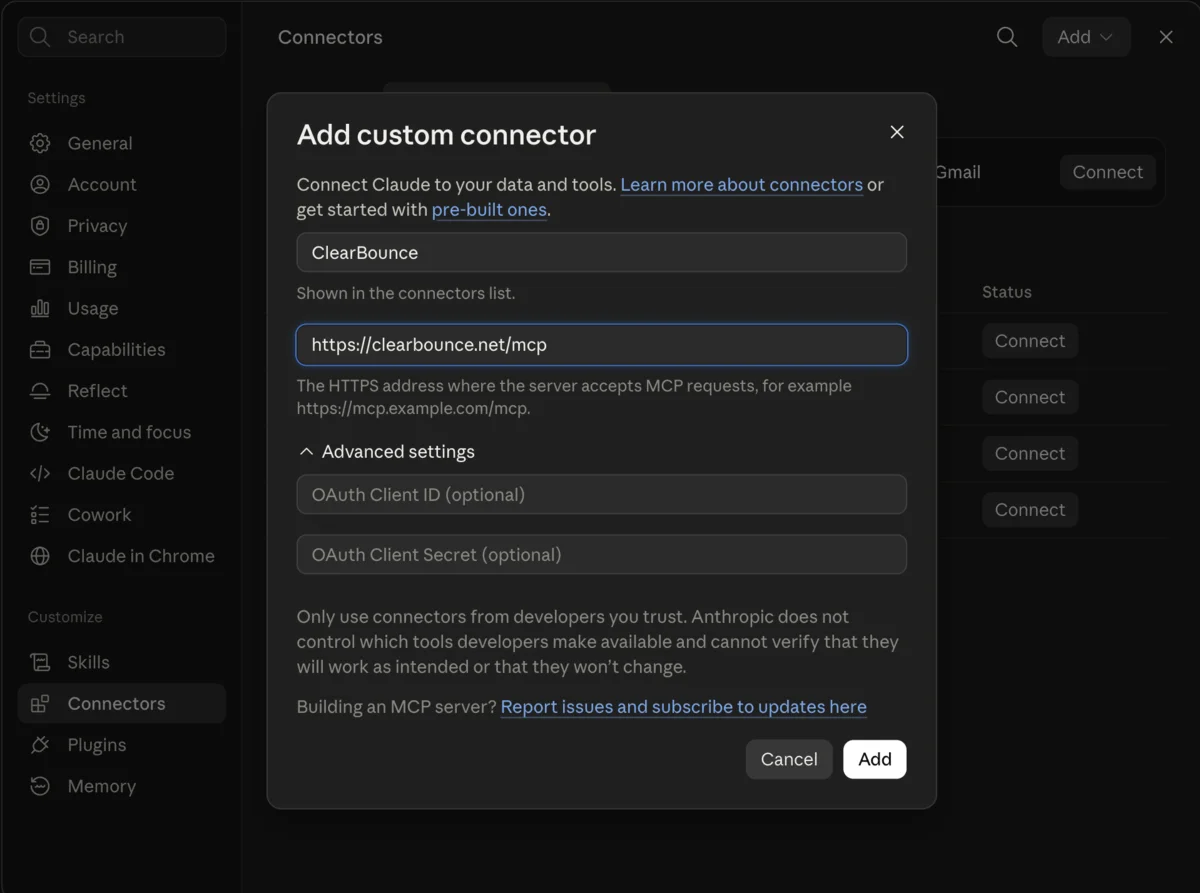
Adding the ClearBounce custom connector in Claude settings with the MCP server URL

Claude (web & desktop)

  1. 1.Open Settings → Connectors → Add custom connector
  2. 2.Name it ClearBounce and paste https://clearbounce.net/mcp
  3. 3.Click Add — a ClearBounce sign-in window opens
  4. 4.Sign in, click Authorize, and you’re connected
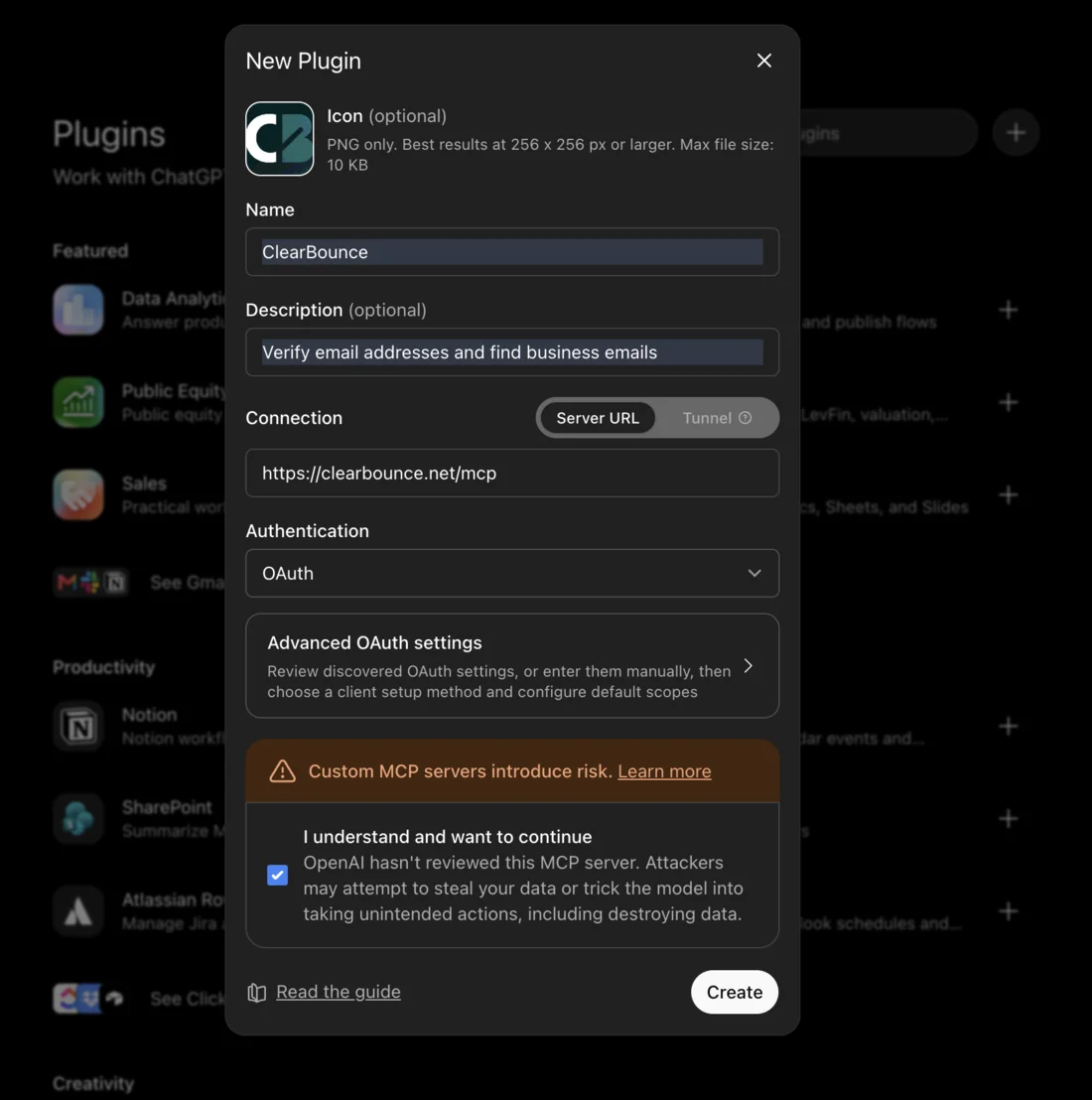
Creating the ClearBounce connector in ChatGPT developer mode with the MCP server URL and OAuth authentication

ChatGPT (developer mode)

  1. 1.Enable Settings → Apps & Connectors → Developer mode
  2. 2.Create a new connector with URL https://clearbounce.net/mcp
  3. 3.Choose OAuth as authentication and click Create
  4. 4.Sign in to ClearBounce when prompted and approve
claude mcp add --transport http clearbounce \ https://clearbounce.net/mcp \ --header "X-API-Key: YOUR_API_KEY"
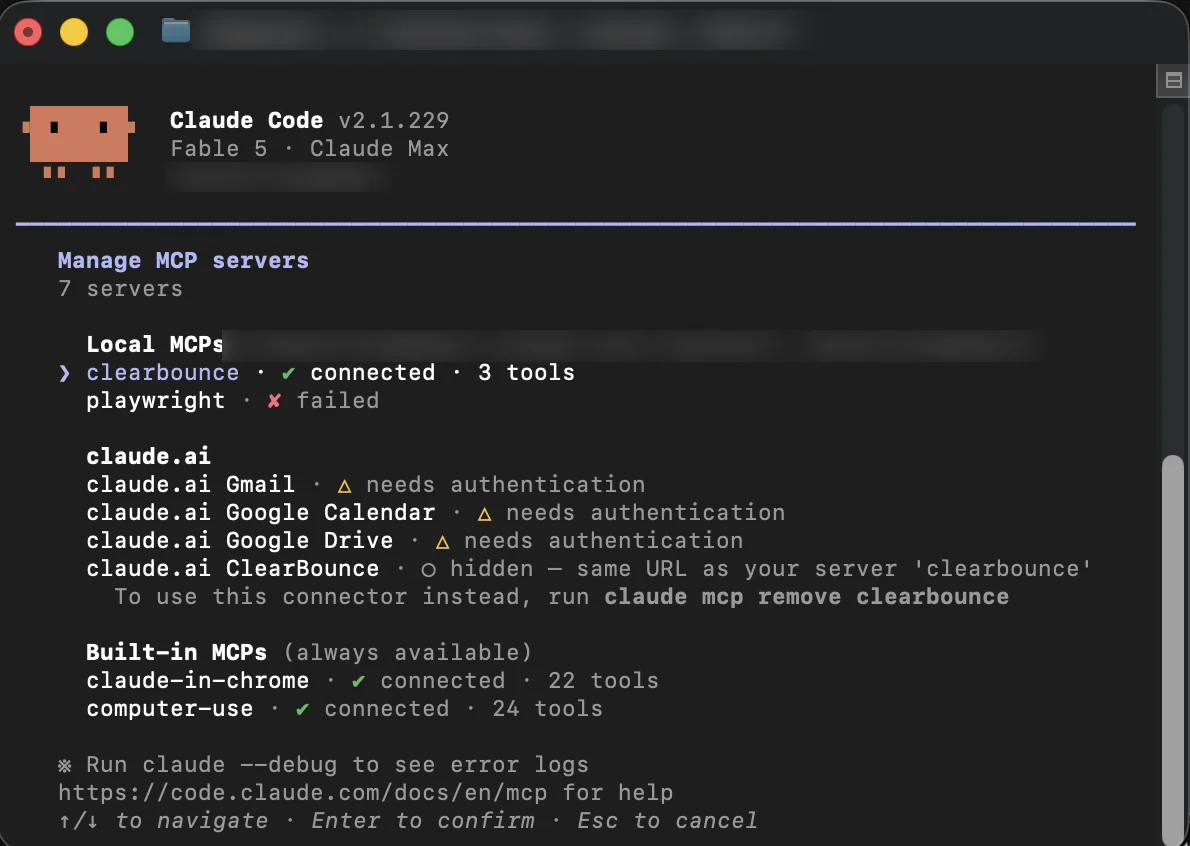
Claude Code MCP server list showing ClearBounce connected with 3 tools

Cursor, VS Code, Windsurf and other tools: add an HTTP MCP server with the same URL and an X-API-Key header.

Claude Code & developer tools

  1. 1.Create an API key in your dashboard (free account works)
  2. 2.Run the command on the left with your key
  3. 3.Type /mcp to confirm ClearBounce is connected
Built Like a Proper Integration

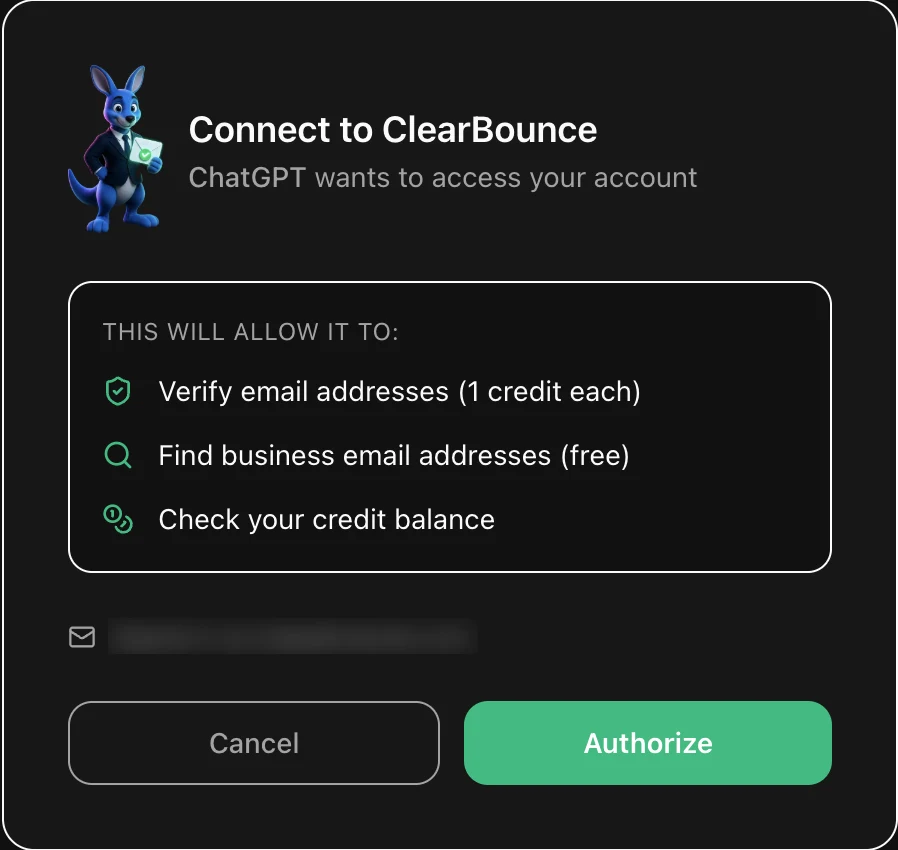
ClearBounce OAuth consent screen showing the exact permissions an assistant receives

You approve exactly what it can do

When an assistant connects, you sign in on clearbounce.net and see this screen first. Nothing happens to your account until you click Authorize — and you can revoke access at any time.

OAuth 2.1 with PKCE

Claude and ChatGPT connect through a standard OAuth flow. You sign in on clearbounce.net — your password never touches the assistant.

Listed in the official MCP Registry

Published as net.clearbounce/email-verification with verified domain ownership — not an anonymous endpoint.

Revoke anytime

Disconnect from your assistant’s settings, or rotate the API key in your dashboard. Access stops immediately.

Same engine, same account

Every call runs through the exact verification engine behind the dashboard and API, and shows up in your usage history.

Frequently Asked Questions

What does it cost?

Connecting is free. Verifying an email costs 1 credit — the same as the dashboard or API. Finding emails and checking your balance are free. New accounts start with 100 free credits, and ClearBounce credits never expire.

Do I need a paid AI plan?

No — Claude supports custom connectors on the free plan too (limited to one connector; paid plans allow more). ChatGPT needs developer mode enabled. Claude Code and editor integrations work with an API key.

What data does the assistant see?

Only what the tools return: verification results, found addresses and your credit balance. The assistant never sees your password, billing details or the rest of your account.

Can my whole team use it?

Yes — each teammate connects with their own ClearBounce login (or a shared API key in developer tools). Usage is tracked per account like any other channel.

Can I verify a whole list this way?

The MCP tools are built for in-conversation checks. For thousands of addresses at once, bulk verification in the dashboard is faster and cheaper to run.

Give Your Assistant an Email Expert

Create a free account, connect in two minutes and verify your first 100 addresses on us.

Start for Free
$ claude > verify anna.keller@brightlabs.io Called clearbounce · verify_email Deliverable ✓ — score 95/100. Safe to send. 4,982 credits left.