Verified List, Still in Spam: An Email Deliverability Audit, Step by Step


Last month we had a client that came to us in despair: cleaned his list, reduced bounces to practically nothing, and was puzzled that his open rates stayed low and half of his emails ended up in spam. He suspected our verification process to be faulty, but it was not. His list was clean in terms of invalid and risky addresses. He was lacking in two other areas that email verification typically does not cover: domain reputation and authentication.
In this post we go through the entire deliverability audit that helped our client identify the exact areas of improvement.
Three layers of email deliverability
When an email is sent, it has to pass through three stages of scrutiny before it reaches the inbox. Each represents a separate area of expertise, and collectively they determine email deliverability:
- Does the email address exist? This is the part email verification covers. Non-existent addresses simply bounce back, and a high bounce rate damages the sender's reputation. Mailbox providers read frequent bounces as either list-buying or blatant spamming; either way, it makes further emails more likely to be rejected at the gateway. List cleaning is essential but often insufficient on its own.
- Is the sender legitimate? This is where domain reputation comes in. Your domain (or IP) can be placed on blocklists that effectively prevent delivery. On top of that, most mailbox providers run proprietary reputation systems, Gmail's and Microsoft's being the most prominent, that operate on a far larger scale than any public blocklist. Domain reputation has little to do with regular spam-checking tools.
- Does the content contain spam triggers? This depends on authentication (SPF, DKIM, DMARC), spammy keywords, image-to-text ratio, link reputation, engagement rate and more. Even legitimate senders get marked as spam when they fail enough of these tests.
Our client, in particular, had issues in the second and third areas: his domain was blacklisted, and his emails lacked proper authentication and spam-score-reducing elements.
The deliverability audit process
We begin every audit by checking whether the client's domain is listed on any blocklists. This is arguably the most important step: in most cases it is not worth spending time on individual-level fixes while the domain is blacklisted. Our client's domain was listed on two blocklists; one was serious and affected the majority of mailbox providers, while the other had very limited coverage. That difference is significant, and we often advise clients to disregard lesser-known blocklists that only surface once in a while.
A few notes on blocklist delisting are in order here. First, blocklists often flip-flop: a domain can appear on a list, then disappear shortly afterwards. It is important to distinguish between lists with wide coverage (delist those with care) and narrow lists that can be safely ignored. As a rule of thumb, ask whether a listing actually has an impact on your deliverability. Second, consider how long the listing has been up: legitimate delisting takes time, but some blocklists only last a couple of hours. Understand both points before taking any drastic measures.
The main reason behind our client's listing was unrelated to spam triggers: it came from a campaign to a non-verified list that got picked up by spam traps. The critical step was the delisting request itself. Reputable blocklists respond quickly when you can show the root cause is gone; we removed the offending list segment, made verification a standard step before every send, and the domain was delisted within days. We have a separate post on checking and delisting blocklists that goes deeper.
The next step is spam-score checking. Spam-scoring is done by actually sending a test email to a spam filter (or a seeded mailbox) and analysing every reason it was flagged. When you send to an ordinary inbox, most of those checks are invisible, but the bulk-sender rules, especially the Gmail and Yahoo ones, are published and can be checked for compliance. Our client's audit pointed out three problems:
- His DMARC record used a p=none policy, which effectively tells mailbox providers not to enforce any authentication checks;
- DKIM failed on forwarded mail because of CNAME misalignment after switching to a new ESP;
- The email lacked a one-click unsubscribe header, now required by most mailbox providers and especially for high-volume senders.
None of this is visible to a regular verification tool, which is exactly why a verified list can still end up in the spam folder.
Why "verified but still spam" is a growing concern
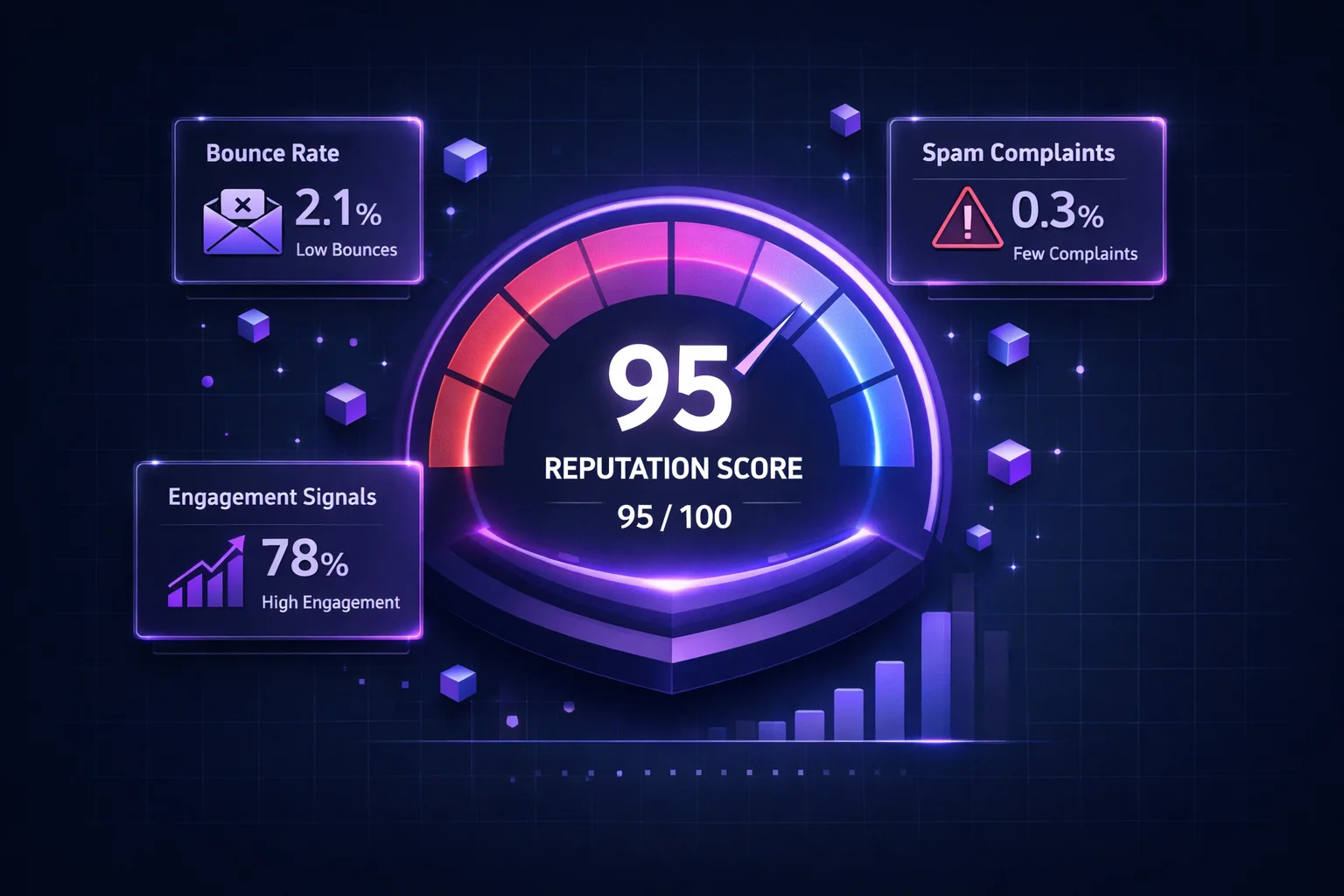
Email verification is an increasingly competitive space. Almost every serious sender cleans their list these days, which means mailbox providers have shifted filtering weight toward behavioural signals. Google is explicit about this: keep user-reported spam under 0.3% in Postmaster Tools or face filtering, no matter how clean your list is. Other providers use similar metrics; high complaint rates or consistently low engagement will get you filtered regardless of your starting reputation. Even a clean, verified list can fail if it is full of inactive or apathetic subscribers, because there will be no natural opens or clicks to show for it.
A subtler issue appears when you clean a list full of inactive subscribers. Your bounce rate drops sharply, but engagement on later campaigns looks artificially low: you might be sending to 10,000 real, valid addresses, yet with zero opens they read as spam to the mailbox provider. The addresses are real; the relationship is not.
The fix is a sunset policy: subscribers with no opens in 90+ days go into a re-engagement segment, and whoever stays silent gets removed.
The resolution: order matters
Here is what actually resolved our client's issues, in order of importance:
- Blocklist delisting first, followed by continuous monitoring so the next listing gets caught in hours rather than months.
- Authentication repair. CNAME alignment, SPF update and DKIM fix. If you have not touched your SPF, DKIM and DMARC since setup, they are the likely reason your emails go to spam.
- One-click unsubscribe headers on every send, per your ESP's guidelines: a five-minute fix.
- A sunset policy for inactive subscribers, plus a separate re-engagement campaign for the active ones. This is damage control, but it also lets you rebuild sender reputation without sudden jolts of dead addresses.
- Ongoing monitoring instead of sporadic blocklist checks. Spam score, blocklist status and deliverability analytics deserve more than an annual glance.
Six weeks later, the client's open rate had nearly tripled. His list was the same; we did not add or remove a single subscriber. Everything about his sender reputation changed: the domain listing (fixed) and a series of authentication and spam-filter issues (also fixed). Your list may not change often, but your sender reputation should be maintained constantly, or your best content ends up lost in spam.
Conclusion
If your emails bounce, verify your list. If your verified emails still land in spam, stop re-verifying and start the audit above: blocklists, authentication and spam-filter compatibility, in that order. Verification only covers the first and most obvious layer of deliverability, and any service promising to keep you out of spam through verification alone is overstating its case. A weekly ten-minute routine, check your blocklist status, glance at your spam rate, verify new signups in real time, and retire whoever stopped reading, beats sporadic and time-consuming list cleaning every time.
See all three layers of deliverability, not just bounces.
ClearBounce verifies your list, runs a real spam-score test, and monitors your blocklist status, so a clean list actually reaches the inbox instead of quietly landing in spam.
100 free credits. No credit card required.
Try ClearBounce Free