Role-Based Email Addresses: What They Are and Why They're Risky


You export your email list. Everything looks clean -- valid domains, no obvious typos, a healthy mix of subscribers. You run a campaign. And then you notice something strange: a spike in spam complaints, a dip in inbox placement, and a handful of bounces you weren't expecting. The source? A cluster of addresses that look perfectly legitimate: info@, support@, admin@, sales@.
These are role-based email addresses, and they are one of the most overlooked risks in email marketing. They don't look suspicious. They don't fail syntax checks. Many of them actually exist as valid mailboxes. But sending marketing emails to them can quietly erode your sender reputation and trigger deliverability problems that are hard to diagnose.
What Is a Role-Based Email Address?
A role-based email address is an address associated with a job function, department, or group -- rather than a specific individual. Instead of going to "Jane Smith" or "Tom Nguyen," the email goes to whoever is currently managing that function. The local part (the part before the @) describes a role, not a person.
For example, support@company.com might forward to an entire customer service team. billing@company.com might route to three people in accounting. info@company.com might land in a shared inbox that half the office has access to. The key distinction is that no single individual owns the address or opted in to receive your emails.
This is fundamentally different from a personal business email like jane.smith@company.com, where there's a clear, identifiable recipient who can give consent and manage their own subscriptions.
Common Role-Based Email Prefixes
Role-based addresses follow predictable patterns. Here's a comprehensive reference of the most common prefixes you'll encounter, organized by category:
| Category | Prefixes | Typical Use |
|---|---|---|
| General / Catch-All | info@, contact@, hello@, office@, enquiries@ | General inquiries, website contact forms |
| Administrative | admin@, administrator@, postmaster@, webmaster@, hostmaster@ | Server administration, DNS/domain management |
| Support | support@, help@, helpdesk@, customerservice@, service@ | Customer support ticketing systems |
| Sales | sales@, orders@, deals@, quotes@, partnerships@ | Sales team shared inboxes, order processing |
| Marketing | marketing@, media@, press@, pr@, events@ | Marketing team, media and press inquiries |
| Finance | billing@, invoices@, accounts@, finance@, payments@ | Billing departments, accounts payable/receivable |
| Technical | tech@, it@, devops@, engineering@, security@, abuse@ | IT departments, abuse reporting (RFC 2142) |
| HR / Recruiting | hr@, jobs@, careers@, recruiting@, hiring@ | Human resources, job applications |
| No-Reply | noreply@, no-reply@, donotreply@, mailer-daemon@ | Outbound-only, not monitored for replies |
| Distribution | team@, staff@, all@, everyone@, group@ | Internal distribution lists, company-wide aliases |
There are over 100 recognized role-based prefixes. The list above covers the most common ones, but email verification tools maintain extensive databases that catch less obvious variants too.
Why Role-Based Emails Are Risky
On the surface, a role-based address looks like any other email. It's valid. It often accepts mail. So why is it a problem? There are five distinct risks, and each one can damage your email program independently.
Multiple Recipients = Multiple Complaint Risks
A role-based address often forwards to several people. Even if one person doesn't mind your email, another might hit "Report Spam." One address, multiple chances for a complaint. Each complaint goes directly to the ISP and counts against your sender reputation.
No Individual Opted In
Consent is the foundation of legitimate email marketing. With a role-based address, you can't verify that the actual recipients agreed to receive your emails. The person who manages support@ today might not be the person who signed up six months ago. This violates the spirit of opt-in consent and can create GDPR and CAN-SPAM compliance issues.
Spam Trap Conversion
Anti-spam organizations and ISPs sometimes repurpose abandoned role-based addresses as spam traps. A company shuts down or restructures, and their old info@ or webmaster@ address becomes a honeypot. If you're still sending to it, you get flagged as a sender who doesn't maintain their list.
ISP Filtering Signals
Mailbox providers track what kinds of addresses you send to. A list with a high proportion of role-based addresses is a signal of purchased or scraped lists rather than organically grown ones. ISPs use this as a negative signal when evaluating your sending patterns and determining inbox placement.
Low Engagement, High Bounce Risk
Role-based addresses tend to have poor engagement metrics. Shared inboxes are noisy -- your marketing email competes with hundreds of other messages. Open rates are typically low, and the people monitoring these inboxes rarely click through to marketing content. Over time, some of these addresses become invalid as companies reorganize, driving up your bounce rate.
How Role-Based Emails End Up on Your List
Understanding how these addresses get into your list helps you prevent them from accumulating in the first place. Here are the most common entry points:
- Contact forms and lead magnets. Someone downloads your whitepaper or requests a demo using their company's generic info@ or sales@ address instead of their personal work email. This is surprisingly common -- people use role-based addresses when they don't want to give their personal email.
- Trade shows and events. Business cards collected at conferences often have role-based addresses printed on them, especially from larger companies.
- Purchased or rented lists. Third-party lists are notorious for containing role-based addresses. List vendors scrape websites and directories where role-based addresses are prominently displayed.
- Web scraping and data enrichment. Automated tools that collect email addresses from websites overwhelmingly find role-based addresses because those are the ones published on "Contact Us" pages.
- Legacy data. Old CRM records from years ago may contain role-based addresses that were once valid points of contact but now route to unknown recipients or nowhere at all.
- Forwarded signups. An employee uses their company's general address to sign up, then leaves the company. The address still exists, but the person who opted in is gone.
The Impact on Your Deliverability
Let's quantify the damage. Here's how role-based emails affect the key metrics that mailbox providers use to evaluate your sending:
2-5x
higher complaint rate when sending to role-based addresses
40-60%
lower open rates compared to personal email addresses
10-15%
of role-based addresses on old lists turn into spam traps
Multiple recipients per address multiply your complaint exposure. Even one spam report from a role-based address counts against you the same as any other complaint.
Abandoned role-based addresses are prime candidates for recycled spam traps. A single trap hit can trigger blacklisting or significant throttling.
Role-based addresses drag down open and click rates. ISPs like Gmail use engagement as a key signal for inbox placement -- low engagement pushes more of your emails to spam.
The cumulative effect of higher complaints, lower engagement, and potential trap hits compounds into sender reputation damage that affects your entire email program.
Should You Always Remove Them? The Nuanced Answer
The blanket advice you'll find online is simple: "Delete all role-based emails from your list." But the reality is more nuanced, and a one-size-fits-all approach can cost you legitimate contacts.
When to remove role-based addresses
- Bulk marketing campaigns. If you're sending newsletters, promotions, or drip sequences to your full list, suppress role-based addresses. The risk-to-reward ratio is too high. These addresses contribute disproportionately to complaints and spam trap hits relative to the conversions they generate.
- Cold outreach. Never send cold emails to role-based addresses. You have no relationship, no consent, and no way to know who will actually read the message. This is a fast path to blacklisting.
- Purchased or scraped lists. If role-based addresses came from a third-party source, remove them immediately. You have zero consent and the addresses are almost certainly being monitored.
- Addresses that haven't engaged in 6+ months. If a role-based address has never opened or clicked, there's no reason to keep it. It's all risk and no upside.
When it might be OK to keep them
- Explicit opt-in. If someone used a role-based address to sign up for your newsletter through a double opt-in process, and that address actively engages with your emails, the risk is lower. They chose to subscribe, and they're interacting with your content.
- Transactional emails. Order confirmations, shipping notifications, support ticket replies, and account alerts are perfectly fine to send to role-based addresses. These are expected communications, not marketing.
- Established B2B relationships. If billing@client.com is the agreed-upon invoicing contact for an active account, that's a legitimate business communication, not unsolicited marketing.
- Small, curated B2B lists. If you have a highly curated list of 50 partner companies and some use role-based addresses as their primary contact, the risk profile is different from blasting 100,000 addresses.
The question isn't "Is this a role-based address?" The question is: "Did someone at this address explicitly ask for these emails, and are they engaging with them?" If the answer to both is yes, the risk is manageable. If the answer to either is no, remove it.
How to Detect Role-Based Email Addresses
There are two approaches to detecting role-based addresses in your list: manual checking and automated verification.
Manual detection
The simplest approach is to check the local part of each email (the part before the @) against a list of known role-based prefixes. If it matches info, admin, support, sales, billing, webmaster, postmaster, abuse, noreply, help, or any of the other common prefixes, flag it.
This works for obvious cases but misses edge cases: info2@, support-team@, the.admin@, and variations that don't exactly match standard prefixes. It also doesn't account for language differences -- "kontakt@" (German for contact), "soporte@" (Spanish for support), or "informazioni@" (Italian for information) are all role-based.
Automated detection with email verification
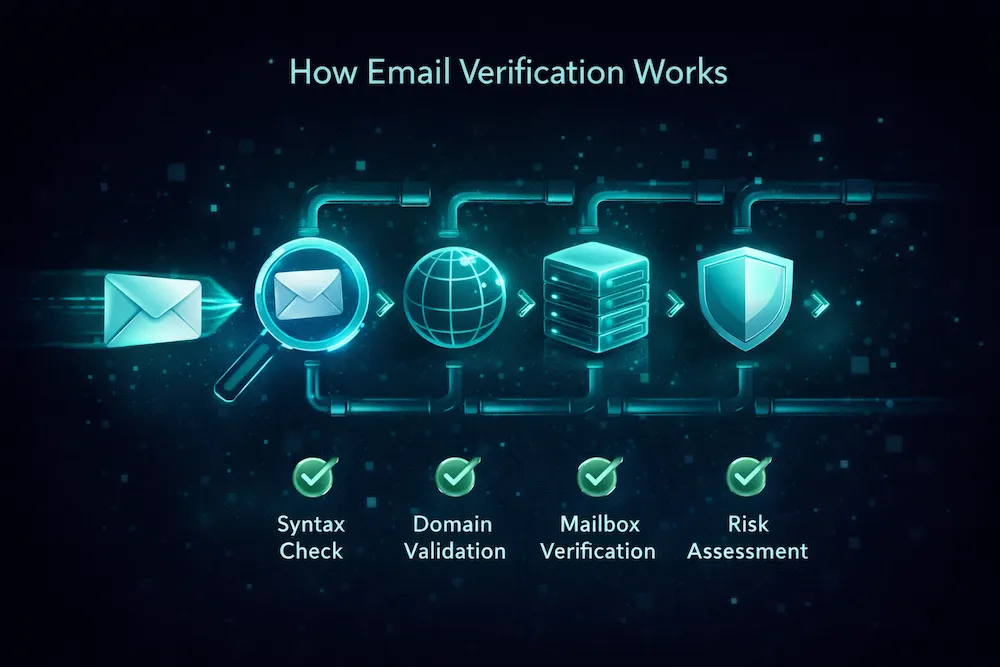
Email verification services detect role-based addresses as part of their standard verification process. When you upload a list or check an address via API, the verification engine automatically flags role-based results alongside invalid, disposable, and other risky address types.
Automated detection is more accurate because verification services maintain comprehensive, regularly updated databases of role-based patterns, including international variants, uncommon prefixes, and new patterns as they emerge.
What to Do with Existing Role-Based Addresses
If you've already identified role-based addresses in your list, here's a practical action plan:
- Segment them immediately. Create a separate segment or tag for all role-based addresses. Don't delete them blindly -- separate them from your main sending list first so you can evaluate them.
- Check engagement history. Review open and click data for each role-based address. Any address that has engaged in the last 90 days is worth a closer look. Addresses with zero engagement should be removed.
- Verify the addresses. Run the role-based segment through email verification to check if they're still valid, deliverable mailboxes. Remove any that bounce or are flagged as risky.
- Attempt to convert to personal addresses. For high-value accounts, reach out and ask for a personal contact email. "We want to make sure the right person at your team gets our updates -- could you share a direct email address?" Many will happily provide one.
- Suppress from marketing, keep for transactional. If you can't convert a role-based address to a personal one and it has limited engagement, suppress it from marketing sends but keep it active for transactional communications if relevant.
- Monitor ongoing signups. Prevent role-based addresses from entering your marketing list in the first place by adding real-time verification to your signup forms. Flag role-based signups and prompt the user to enter a personal email address instead.
Preventing Role-Based Emails from Entering Your List
The most effective strategy is preventing role-based addresses from joining your marketing list in the first place. Here's how:
| Prevention Method | How It Works | Effectiveness |
|---|---|---|
| Real-time API verification | Check emails at the point of signup via verification API and flag role-based addresses before they enter your list | Very High |
| Form validation rules | Block known role-based prefixes in your signup form with a friendly message asking for a personal email | Moderate |
| Double opt-in | Requires confirmation click -- role-based addresses with multiple recipients are less likely to complete the process | Moderate |
| Regular list cleaning | Periodic bulk verification catches role-based addresses that slip through other defenses | High |
| CRM import filters | Flag or quarantine role-based addresses during CRM imports or list uploads before they reach your ESP | Moderate |
The most reliable approach is combining real-time API verification at signup with periodic bulk list cleaning. This catches role-based addresses at every entry point and ensures none slip through over time.
Role-Based Emails vs. Other Risky Address Types
Role-based addresses are just one category of risky emails that email verification identifies. Here's how they compare to other types:
| Address Type | Example | Risk Level | Why It's Risky |
|---|---|---|---|
| Role-based | info@, support@ | Medium-High | Multiple recipients, no individual consent, spam trap potential |
| Disposable | user@tempmail.com | High | Self-destructs in hours, guaranteed bounce on resend |
| Spam trap | (various) | Critical | Immediate blacklisting and severe reputation damage |
| Invalid / Bounced | typo@gmial.com | High | Hard bounces directly damage sender reputation |
| Catch-all domain | anything@catchall.com | Medium | Accepts all mail but individual addresses may not be monitored |
Role-based addresses sit in the middle of the risk spectrum. They're not as immediately destructive as spam traps or invalid addresses, but they're a chronic risk that accumulates over time. The damage is slow, steady, and often invisible until your deliverability has already suffered.
The Bottom Line
Role-based email addresses are one of those risks that looks harmless on the surface. They're real addresses, at real domains, that actually accept mail. But they're designed for functions, not people -- and sending marketing emails to a function rather than a person violates the fundamental principle that makes email marketing work: individual consent.
The practical impact is measurable. Higher complaint rates, lower engagement, potential spam trap hits, and a slow erosion of the sender reputation you've worked hard to build. For most senders, the handful of conversions that role-based addresses generate don't come close to offsetting the deliverability damage they cause.
The fix is straightforward: detect them, segment them, and suppress them from marketing sends. Use email verification to identify role-based addresses in your existing list and prevent new ones from entering. For high-value contacts, try to convert role-based addresses to personal ones. And keep role-based addresses available for transactional emails where they're appropriate.
Your email list is only as good as the quality of the addresses on it. Removing role-based addresses is one of the simplest, highest-impact steps you can take to improve your deliverability and protect your sender reputation.
Detect role-based emails in your list.
ClearBounce automatically identifies role-based, disposable, invalid, and spam trap addresses in your email list. Upload your list and see exactly which addresses are putting your deliverability at risk.
100 free credits. No credit card required.
Detect Role-Based Emails Free