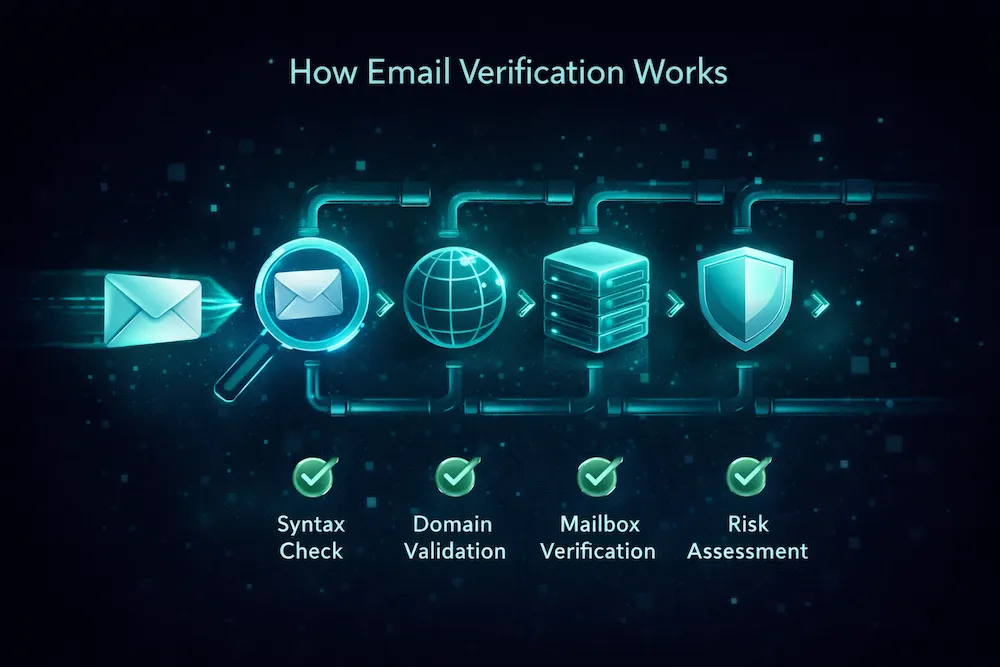
Disposable Emails: How to Detect and Block Temporary Email Addresses

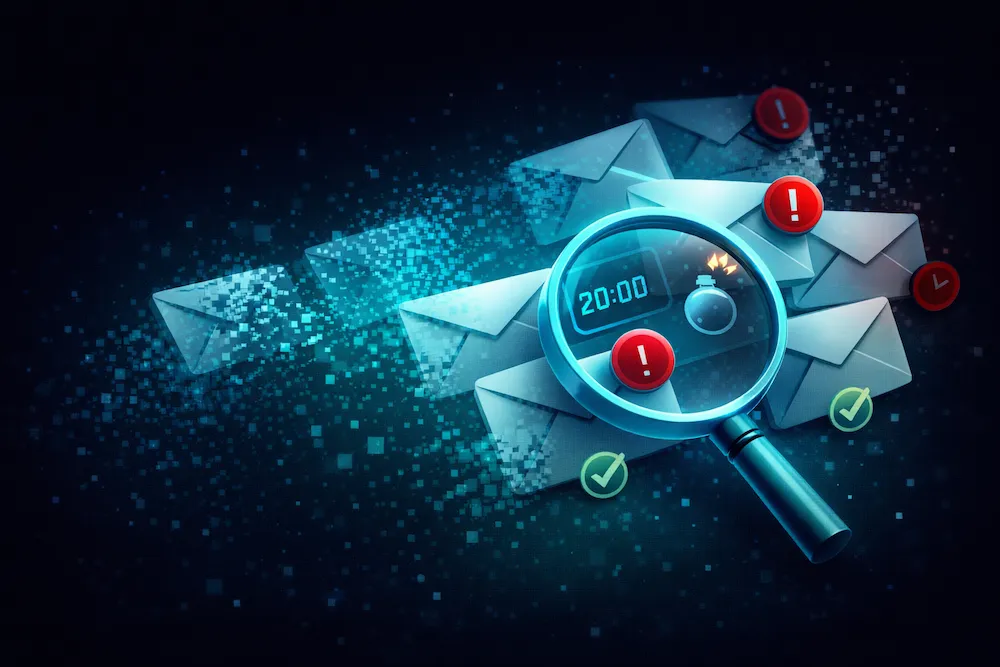
You run a promotion, launch a lead magnet, or open up a free trial. Signups pour in. Your list grows. Everything looks great on the surface -- until you look at the data. Open rates are abysmal. Half those new addresses are already bouncing. And the "leads" behind them were never real prospects to begin with.
The culprit? Disposable email addresses -- temporary, throwaway inboxes that exist for minutes or hours before disappearing forever. They're easy to create, impossible to reply to, and increasingly common across every industry. If you're not actively detecting and blocking them, they're silently eroding your list quality, your metrics, and your sender reputation.
What Are Disposable Email Addresses?
A disposable email address (DEA) is a temporary, self-destructing email address that anyone can create instantly without providing personal information. Unlike regular email accounts from Gmail or Outlook, disposable addresses are designed to be used once and thrown away.
The concept is simple: a service generates a random or semi-random email address, the user receives mail at that address for a short period (anywhere from 10 minutes to 24 hours), and then the address ceases to exist. Some services forward incoming mail to the user's real address; others provide a web-based inbox that self-destructs.
Disposable email providers have been around since the early 2000s, but they've exploded in popularity. Today, there are hundreds of active services collectively operating thousands of domains. New providers and domains appear every week, which makes detection a moving target.
Popular Disposable Email Providers
To understand what you're up against, here are some of the most widely used disposable email services:
- Guerrilla Mail -- One of the oldest and most popular services. Provides a temporary inbox with a random address that lasts one hour. Offers multiple domain options and doesn't require any signup.
- Temp Mail -- Generates an instant throwaway address with a web-based inbox. Addresses expire automatically. One of the most-visited disposable email sites globally.
- 10MinuteMail -- As the name suggests, provides an address that lasts exactly 10 minutes (extendable). Extremely popular for quick signups and one-time verifications.
- Mailinator -- All inboxes are public, meaning anyone can read any inbox. Popular among developers for testing but also used for throwaway signups.
- ThrowAwayMail -- Simple interface, temporary addresses with auto-deletion. Supports multiple disposable domains.
- YOPmail -- Offers disposable inboxes that persist for up to 8 days. No signup required, supports custom address names.
- Dispostable, Guerrillamail, Tempail, Mohmal -- Dozens of smaller services with variations on the same concept, often cycling through new domains to evade detection.
Beyond dedicated services, some privacy-focused email providers like Apple's Hide My Email and Firefox Relay generate unique forwarding addresses that function similarly to disposable emails -- though these tend to be more persistent and tied to real users.
Why People Use Disposable Emails
Before we discuss blocking strategies, it helps to understand the motivations. People use disposable emails for several reasons:
Privacy protection
Users want to try a service or download content without handing over their real email address. They're wary of spam, data breaches, or being added to marketing lists they didn't consent to.
One-time access
They need to verify an email to access gated content, activate a free trial, or complete a one-time registration. They have no intention of returning or engaging further.
Avoiding marketing emails
Past bad experiences with aggressive email marketing have trained users to protect themselves. They use a burner address to avoid unwanted follow-up sequences.
Abuse and fraud
Bad actors use disposable emails to create multiple fake accounts, abuse free tier limits, exploit referral programs, or engage in fraudulent activity while remaining anonymous.
Understanding these motivations matters because it shapes your response. Privacy-conscious users aren't malicious -- they just don't trust you yet. But regardless of intent, the result for your business is the same: an address that will never convert, never engage, and eventually bounce.
Why Disposable Emails Are Dangerous for Your List
A disposable email on your list isn't just a wasted contact. It's an active liability that creates cascading problems across your entire email program. Here's how:
They inflate your subscriber count
Every disposable email adds a phantom subscriber. Your list size grows, but your actual reachable audience doesn't. You end up making decisions -- about budget, content strategy, and segmentation -- based on numbers that don't reflect reality. If 10% of your signups are disposable, you're overestimating your audience by 10%.
They cause hard bounces when they expire
When a disposable address self-destructs (often within hours), your next email to that address generates a hard bounce. Hard bounces are one of the most damaging signals to your email deliverability. A bounce rate above 2% triggers throttling from ISPs. Above 5%, you're looking at potential blacklisting.
They destroy your engagement metrics
Open rates, click-through rates, and conversion rates are all calculated against your total sends. Every email sent to a disposable address is a guaranteed zero across every metric. If 500 of your 10,000 subscribers are disposable, your open rate is suppressed by 5% before a single real person has even seen your email. That data distortion leads to wrong conclusions about your content performance.
They waste your money
Most email service providers charge based on list size or send volume. Every disposable address on your list costs you money -- for storage, for sends, and for the bandwidth to deliver emails that will never be read. Over time, those costs add up significantly, especially for high-volume senders. The real cost of a dirty list extends far beyond the obvious.
They signal fraud risk
A disproportionate volume of disposable signups can indicate abuse: fake account creation, free trial exploitation, coupon farming, or worse. Each of these scenarios has direct financial impact beyond the email channel.
7.5%
of all web form submissions use a disposable email address
550+
known disposable email services operating thousands of domains
0%
long-term engagement from disposable email addresses
How Disposable Emails Affect Your Key Metrics
Let's quantify the impact. Here's a realistic scenario showing how disposable emails silently degrade your performance:
| Metric | Clean List (10,000) | With 8% Disposable (10,000) |
|---|---|---|
| Reachable subscribers | 10,000 | 9,200 |
| Open rate | 24.0% | 22.1% |
| Click rate | 3.2% | 2.9% |
| Bounce rate | 0.4% | 8.3% |
| Sender reputation impact | Healthy | At risk |
| Wasted ESP cost (monthly) | $0 | ~$15-40 |
Notice the bounce rate. Those 800 disposable addresses don't just reduce engagement -- they actively damage your reputation by generating bounces. And an 8.3% bounce rate is well above the 2% threshold that triggers ISP penalties. A single campaign to a contaminated list can put you in the danger zone.
How to Detect Disposable Email Addresses
There are three primary approaches to detecting disposable emails, each with different trade-offs in accuracy, coverage, and implementation effort:
1. Domain Blacklists
The simplest approach: maintain or subscribe to a list of known disposable email domains (like mailinator.com, guerrillamail.com, tempmail.com) and reject signups from those domains. Open-source lists are available on GitHub with anywhere from 3,000 to 30,000+ domains.
Pros: Easy to implement, fast lookups, zero false positives on known domains, no external API dependency. Cons: Disposable email providers constantly add new domains. A static list goes stale quickly. You'll miss newly created domains, custom domains, and services that generate random subdomains. Coverage degrades over time without active maintenance.
2. Pattern Detection
Go beyond exact domain matching by analyzing patterns that are common among disposable email services. These include: recently registered domains with no web presence, domains with MX records pointing to known disposable email infrastructure, unusual domain naming patterns (random strings, excessive hyphens, number-heavy names), domains that only accept mail but have no outbound sending capability, and DNS configurations that match known disposable email templates.
Pros: Catches new and previously unseen disposable domains. Works against services that rotate domains frequently. Cons: Requires significant technical expertise to build and maintain. Higher false positive risk -- legitimate new domains can share characteristics with disposable ones. Complex to implement correctly without an experienced team.
3. Real-Time API Validation
The most comprehensive approach: use an email verification API that combines domain blacklists, pattern detection, MX analysis, domain age data, and machine learning models into a single real-time check. An API call during signup can classify an email as disposable in milliseconds.
Pros: Highest accuracy (95%+ detection rate), continuously updated, catches novel disposable domains through behavioral analysis, minimal implementation effort, and provides additional validation (syntax, deliverability, role-based detection). Cons: Requires a third-party service, adds a small latency to signup flow, and has a per-verification cost.
Comparison of Detection Methods
Here's how the three approaches stack up across the factors that matter most:
| Factor | Domain Blacklists | Pattern Detection | API Validation |
|---|---|---|---|
| Detection accuracy | 60-75% | 80-90% | 95%+ |
| New domain coverage | Poor | Good | Excellent |
| False positive rate | Very low | Moderate | Very low |
| Implementation effort | Low | High | Low |
| Maintenance required | Constant updates | Regular tuning | None (managed) |
| Speed | <1ms | 10-50ms | 50-200ms |
| Cost | Free | Dev time | Per-verification |
| Additional checks | Disposable only | Disposable + some risky | Full validation suite |
For most businesses, the optimal strategy is to combine a domain blacklist for instant, zero-cost rejection of the most obvious offenders with API validation for comprehensive coverage. The blacklist handles the low-hanging fruit instantly, while the API catches everything else.
Preventing Disposable Emails at Signup
Detection is only useful if you act on it. Here are proven strategies for keeping disposable emails out of your database at the point of entry:
1. Validate email in real time during registration
The most effective defense is checking the email address before the user completes signup. Integrate an email verification API into your registration form. When a disposable email is detected, show a friendly but clear message: "Please use a permanent email address to create your account." This prevents temporary addresses from ever entering your database.
2. Implement double opt-in
Double opt-in requires users to click a confirmation link sent to their email address. Since most disposable addresses expire within minutes, users who sign up with a throwaway address often miss the confirmation window. While this won't catch all disposable emails (some last long enough to confirm), it serves as a valuable secondary filter and has the added benefit of proving consent for compliance purposes.
3. Run bulk verification on your existing list
Prevention at signup handles future addresses, but what about disposable emails already on your list? Run your existing database through bulk email verification to identify and remove disposable addresses that slipped through before you had detection in place. This is particularly important if your list was built over time without verification.
4. Block known disposable domains at the form level
For a quick first line of defense, add client-side validation that checks the email domain against a list of the most common disposable providers. This provides instant feedback and reduces server load. But treat it as a supplement, not a replacement -- determined users can bypass client-side checks, and your list will inevitably miss newly created domains.
5. Monitor signup patterns
Watch for suspicious patterns that indicate disposable email abuse: a sudden spike in signups from unfamiliar domains, multiple signups from the same IP with different email addresses, or email addresses with random character strings. These patterns can alert you to coordinated abuse even when individual addresses evade detection.
6. Educate users about the value exchange
Sometimes the best defense is making users want to give you their real email. Be transparent about what they'll receive, how often you'll email them, and how easy it is to unsubscribe. If users trust your brand and see clear value in your emails, they're far less likely to reach for a disposable address. The businesses with the lowest disposable email rates are the ones that have earned their subscribers' trust.
Handling Disposable Emails You've Already Collected
If you've been building your list without disposable email detection, there's a good chance your database already contains expired temporary addresses. Here's how to clean up:
- Export your full email list and run it through a verification service that specifically flags disposable domains. Don't just check for deliverability -- an expired disposable address shows as "undeliverable," but you want to know it was disposable so you can track the scope of the problem.
- Remove all flagged disposable addresses immediately. There is zero reason to keep them. They will never engage, never convert, and they're either already bouncing or about to.
- Analyze the source. Where did these disposable signups come from? If a particular landing page, ad campaign, or lead magnet attracted a high percentage of disposable emails, it might indicate a targeting problem or a value proposition that attracts tire-kickers rather than genuine prospects.
- Implement prevention at every entry point (registration forms, lead magnets, checkout flows, newsletter signups) so the problem doesn't recur.
- Set up ongoing monitoring. Schedule regular list cleaning -- monthly at minimum -- to catch any disposable addresses that slip through your defenses. Spam traps and disposable addresses both accumulate over time, and regular hygiene is the only reliable countermeasure.
Every disposable email on your list is a promise that was never real. The sooner you remove them, the sooner your metrics start reflecting your actual performance -- and you can make decisions based on reality instead of noise.
Disposable Emails vs. Alias Emails: Know the Difference
Not all non-standard email addresses are disposable. It's important to distinguish between genuinely temporary addresses and legitimate aliases:
| Disposable Emails | Email Aliases | |
|---|---|---|
| Examples | 10minutemail.com, guerrillamail.com | user+newsletter@gmail.com, Hide My Email |
| Lifespan | Minutes to hours | Permanent (until user deletes) |
| Tied to real person | No | Yes |
| Can receive ongoing mail | No (expires) | Yes |
| User intent | Avoid your emails entirely | Organize or filter your emails |
| Should you block? | Yes | No |
Gmail plus-addressing (user+tag@gmail.com), Apple's Hide My Email, and Firefox Relay all create persistent forwarding addresses tied to real users who can receive and engage with your emails. Blocking these is counterproductive -- you'd be rejecting legitimate subscribers who simply value their privacy. A good detection system distinguishes between throwaway addresses and privacy-conscious aliases.
The Bottom Line
Disposable email addresses are not going away. As privacy concerns grow and more services offer anonymous email options, the volume of throwaway signups will only increase. The question isn't whether disposable emails are on your list -- it's how many, and what you're doing about them.
The math is straightforward. Every disposable email you allow through the door inflates your costs, deflates your metrics, and chips away at the sender reputation you've worked to build. Every one you catch at the gate is a small win for the accuracy of your data and the health of your email deliverability.
The businesses that maintain the cleanest lists aren't the ones with the fanciest email content -- they're the ones that control what gets onto the list in the first place. Start with real-time verification at signup, clean your existing list, and monitor continuously. Do those three things and you eliminate the disposable email problem entirely.
Catch disposable emails instantly.
ClearBounce detects and flags disposable, temporary, and throwaway email addresses in real time -- before they pollute your list, inflate your metrics, or damage your sender reputation.
100 free credits. No credit card required.
Start Catching Disposable Emails