Email Bounce Rate: How to Calculate It, Benchmark It, and Reduce It

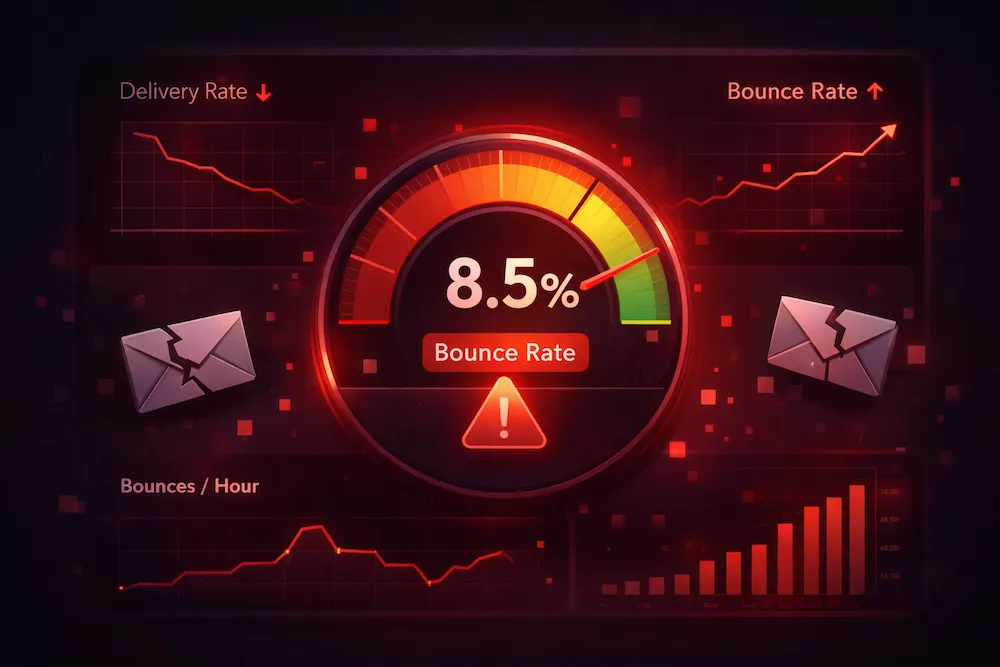
You send 50,000 emails. Your campaign report comes back showing 3,200 bounces. That is a 6.4% bounce rate -- and it means more than just undelivered messages. It means your sender reputation is taking damage, your future campaigns are more likely to land in spam, and you may already be on a path toward getting blocked by major mailbox providers.
Bounce rate is one of the most important metrics in email marketing. It tells you how healthy your list is, how well your infrastructure is performing, and how mailbox providers perceive you as a sender. Yet most email marketers treat it as an afterthought -- a number they glance at after a send and forget about until something breaks.
This guide covers everything you need to know about email bounce rate: what it is, how to calculate it, what industry benchmarks look like, why it matters for deliverability, how different ESPs handle it, and eight proven strategies to bring it down and keep it down.
What Is Email Bounce Rate?
Email bounce rate is the percentage of emails in a campaign that were not delivered to the recipient's inbox. When an email "bounces," it means the receiving mail server rejected the message and sent it back to the sender with an error code explaining why.
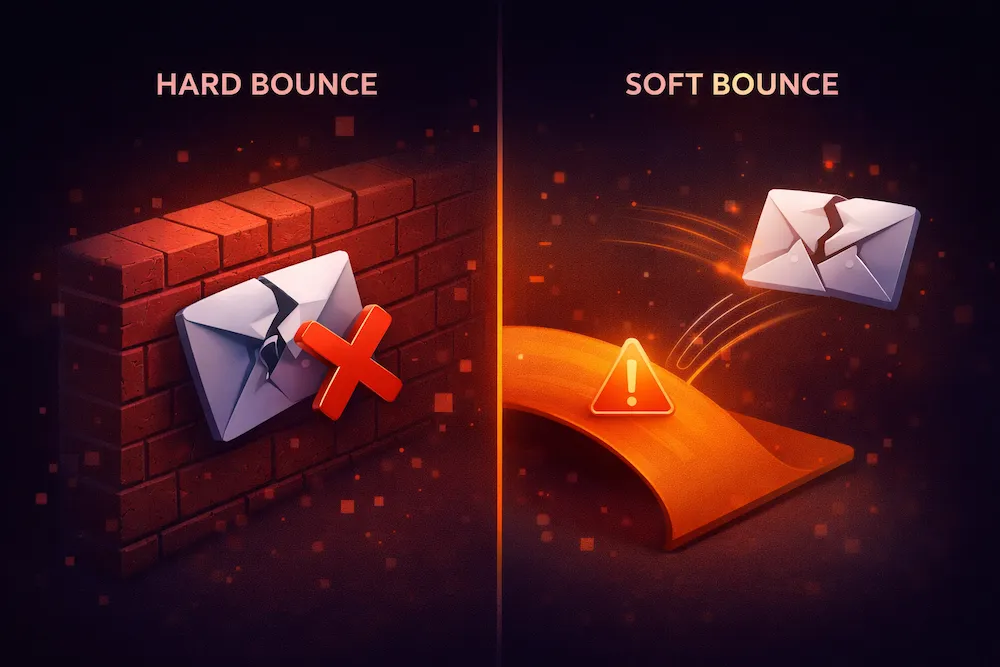
There are two types of bounces, and the distinction between them is critical:
- Hard bounces are permanent delivery failures. The email address does not exist, the domain is invalid, or the server has permanently blocked delivery. Hard-bounced addresses should be removed from your list immediately and never emailed again.
- Soft bounces are temporary delivery failures. The recipient's inbox might be full, the server might be temporarily down, or the message might be too large. Soft bounces may resolve on their own, but addresses that repeatedly soft bounce should eventually be removed.
From a deliverability standpoint, hard bounces are far more dangerous. A single campaign with a high hard bounce rate can trigger throttling, spam folder placement, or outright blocking from major providers like Gmail, Outlook, and Yahoo.
How to Calculate Email Bounce Rate
The formula for email bounce rate is straightforward:
Bounce Rate (%) = (Bounced Emails / Total Emails Sent) x 100
Include both hard and soft bounces in the total for your overall bounce rate
For example, if you send 10,000 emails and 150 bounce, your bounce rate is:
(150 / 10,000) x 100 = 1.5% bounce rate
Most email service providers calculate this automatically and display it in your campaign reports. However, some ESPs only show hard bounce rate, while others combine hard and soft bounces into a single number. Make sure you know which metric your platform is reporting so you can benchmark accurately.
It is also useful to calculate your hard bounce rate and soft bounce rate separately. Your hard bounce rate is the more actionable number because those addresses need to be removed immediately. Soft bounces require monitoring over time -- if the same address soft bounces across three or more campaigns, treat it as a hard bounce.
What Is a Good Bounce Rate?
The short answer: below 2% is considered good, below 0.5% is excellent, and above 5% is a red flag that requires immediate attention.
Excellent (Under 0.5%)
Best-in-classYour list is very clean and well-maintained. You are likely using double opt-in, regular verification, and removing inactive subscribers consistently. Mailbox providers trust you.
Acceptable (0.5% - 2%)
Industry averageYour list is reasonably healthy but could be cleaner. Some addresses are aging out or were collected without strong validation. Regular cleaning will keep you in this range.
Problematic (2% - 5%)
Needs attentionYou are approaching a danger zone. Your sender reputation may already be declining. ISPs are noticing the bounces. List cleaning and process improvements are needed before your next campaign.
Critical (Above 5%)
Immediate action requiredYour emails are actively being throttled or blocked. Sender reputation damage is underway. Stop sending to your full list immediately, clean your data, and rebuild gradually.
Email Bounce Rate Benchmarks by Industry
Bounce rates vary significantly across industries. Some sectors deal with higher turnover in email addresses (like education, where students graduate), while others maintain more stable lists. Here are average bounce rates by industry based on aggregated data from major ESPs:
| Industry | Average Bounce Rate | Status |
|---|---|---|
| SaaS / Technology | 0.7% - 1.2% | Low |
| E-commerce / Retail | 0.5% - 1.0% | Low |
| Financial Services | 0.8% - 1.5% | Low |
| Healthcare | 1.0% - 2.0% | Moderate |
| Marketing / Advertising | 1.0% - 1.8% | Moderate |
| Real Estate | 1.5% - 2.5% | Moderate |
| Education | 2.0% - 3.5% | Higher |
| Government / Nonprofit | 2.0% - 4.0% | Higher |
| Construction / Manufacturing | 2.5% - 4.5% | Higher |
| Media / Entertainment | 0.8% - 1.5% | Low |
These benchmarks are averages. Your specific rate depends on how you collect addresses, how often you clean your list, and how long your addresses have been on the list. A well-maintained education list can easily beat 1%, while a neglected SaaS list can spike above 5%.
What Causes High Bounce Rates?
Understanding the root causes of bounces is the first step toward fixing them. Here are the most common reasons emails bounce:
Typos during signup (gmial.com, yahooo.com), abandoned addresses, or addresses that were never real in the first place. This is the number one cause of hard bounces.
Email lists degrade at a rate of roughly 22-25% per year. People change jobs, switch providers, and abandon addresses. A list that was clean six months ago can have thousands of invalid addresses today.
Bought lists are full of invalid, role-based, and spam-trap addresses. They almost always produce bounce rates above 10%, often much higher. This is the fastest way to destroy your sender reputation.
If your signup forms accept any text as an email address without validation, you are collecting garbage data from day one. Bots, typos, and fake entries all contribute to future bounces.
Some recipients have full mailboxes or their mail server is temporarily unreachable. These produce soft bounces that usually resolve, but persistent soft bounces indicate abandoned accounts.
Some organizations block emails based on your IP, domain, or content. This is often a sign that your sender reputation has already been damaged or that your domain is on a blocklist.
How Bounce Rate Affects Sender Reputation and Deliverability
Bounce rate and sender reputation are directly connected. Every hard bounce tells the receiving mail server that you are sending to addresses that do not exist. Mailbox providers interpret this as a sign that you are not maintaining your list -- which is one of the hallmarks of a spammer.
Here is how the damage cascades:
- High bounces trigger throttling. ISPs start accepting fewer of your emails per hour, slowing down your entire campaign.
- Continued bounces lead to spam folder placement. Even the emails that do get delivered start landing in junk instead of the inbox.
- Persistent issues result in blocklisting. Your IP or domain gets added to a blocklist, and entire mail servers refuse your connections.
- Your ESP may suspend your account. Most email service providers have strict bounce rate policies. Exceed their threshold and your account gets flagged, throttled, or shut down entirely.
The effect is cumulative. A single campaign with a 6% bounce rate might not immediately blacklist you, but it damages your reputation score. Follow it up with another high-bounce campaign, and you are in serious trouble. Reputation damage from bounces can take 2-6 weeks to recover from, even after you clean your list.
22%
of email lists decay each year due to address changes and abandonment
5%
bounce rate threshold that triggers immediate throttling from most ISPs
10x
more likely to be blocklisted when bounce rates exceed 8% consistently
Bounce Rate Policies by Email Service Provider
Every major ESP monitors your bounce rate and takes action when it exceeds their threshold. Here is how the major platforms handle it:
| ESP | Hard Bounce Threshold | What Happens |
|---|---|---|
| Mailchimp | ~5% hard bounces | Account flagged, compliance review, possible suspension |
| SendGrid | ~5% bounces | Bounce processing warns you; repeated violations restrict sending |
| Amazon SES | 5% bounce rate | Automatic sending pause if rate exceeds threshold |
| Brevo (Sendinblue) | ~5% hard bounces | Campaign paused, list cleaning required to resume |
| HubSpot | Varies by tier | Greylist or blocklist contacts automatically; account review if persistent |
| Klaviyo | ~7% in a campaign | Account placed under review, sending restricted |
| ActiveCampaign | ~5% hard bounces | Campaign halted, mandatory list cleaning |
| Constant Contact | ~5% hard bounces | Account flagged, compliance team contact |
The pattern is clear: virtually every ESP draws the line at around 5% bounces. Exceed that, and you face consequences ranging from warnings to full account suspension. The safest approach is to keep your bounce rate well below 2%, giving you a significant margin of safety before you get anywhere near triggering an ESP's enforcement actions.
8 Ways to Reduce Your Email Bounce Rate
1. Verify your email list before sending
This is the single most effective action you can take. Run your entire list through an email verification service before every major campaign. Verification identifies invalid addresses, catch-all domains, disposable emails, role-based addresses, and other risky entries that are likely to bounce or cause problems. A thorough verification can reduce your bounce rate from 5%+ to under 1% in a single pass.
2. Implement double opt-in
Double opt-in requires new subscribers to confirm their email address by clicking a link in a confirmation email. This ensures that only real, active email addresses make it onto your list. Yes, it adds friction and may reduce your signup rate slightly. But the addresses you collect are verified, engaged, and far less likely to bounce. Lists built with double opt-in consistently have bounce rates under 0.5%.
3. Add real-time validation to signup forms
Catch bad addresses at the point of entry before they ever reach your list. Real-time validation checks the email format, verifies the domain exists, and can even confirm the mailbox is active -- all while the user is still on your signup form. This prevents typos (gmial.com, @yaho.com), blocks disposable email services, and stops bot submissions cold.
4. Remove hard bounces immediately after every send
Never send to an address that has hard bounced. Most ESPs automatically suppress hard bounces, but verify this is working correctly. If you are using a custom sending infrastructure, build automated bounce processing that removes hard-bounced addresses from your active list in real time. Sending to a known invalid address a second time is a clear signal of poor list management to ISPs.
5. Clean your list on a regular schedule
Email lists decay at roughly 22-25% per year. Addresses that were valid three months ago may be invalid today. Set a schedule for list cleaning: at minimum, verify your full list every 30 days. For high-volume senders (100K+ emails per month), weekly verification is ideal. The cost of verification is a fraction of the cost of reputation damage from sending to a degraded list.
6. Remove inactive subscribers
Subscribers who have not opened or clicked any of your emails in six months or more are dead weight. Some of those addresses have already been abandoned, and some may have been converted into spam traps. Run a re-engagement campaign -- one final "Are you still interested?" email -- and remove anyone who does not respond. A smaller, engaged list will always outperform a large, stale one.
7. Monitor bounce rates per campaign and per segment
Do not just look at your overall bounce rate. Break it down by campaign, by segment, and by acquisition source. You may find that your webinar signups bounce at 0.3% while your purchased leads bounce at 8%. This kind of analysis reveals exactly where your list problems are coming from so you can fix the source, not just the symptom. Use your deliverability monitoring tools to track these metrics over time.
8. Never use purchased, rented, or scraped email lists
This bears repeating because it is still the number one cause of catastrophic bounce rates. Purchased lists are full of invalid addresses, spam traps, and people who never opted in to hear from you. The bounce rates from purchased lists routinely exceed 10-20%, which is enough to get your domain blacklisted in a single send. There is no shortcut here. Build your list organically through opt-in forms, content marketing, and genuine subscriber interest.
Monitoring and Tracking Your Bounce Rate
Reducing your bounce rate is not a one-time fix. It requires ongoing monitoring and a structured approach to list hygiene. Here is a practical checklist:
| Action | Frequency | Why It Matters |
|---|---|---|
| Verify your full email list | Every 30 days | Catches decay before it causes bounces |
| Review campaign bounce reports | After every send | Spots problems before they compound |
| Remove hard bounces | Immediately (automated) | Prevents repeat sends to invalid addresses |
| Audit acquisition sources | Monthly | Identifies which sources produce bad data |
| Purge inactive subscribers | Quarterly | Removes addresses most likely to decay |
| Check sender reputation scores | Weekly | Early warning of reputation damage |
| Monitor blocklists | Daily (automated) | Catches listings before they block delivery |
The most important metric to track over time is your hard bounce rate trend. A single campaign with a 1.5% bounce rate is not concerning. But if your rate has been creeping up steadily -- 0.8%, then 1.2%, then 1.8%, then 2.5% -- that is a clear signal of list decay that needs to be addressed before it reaches a critical threshold.
The best time to clean your email list was before your last campaign. The second best time is right now, before your next one.
How Bounce Rate Connects to the Bigger Picture
Bounce rate does not exist in isolation. It is one signal in a broader ecosystem of email deliverability metrics that collectively determine whether your emails reach the inbox. Here is how it connects:
- Bounce rate + spam complaints together determine your sender reputation score. High bounces and high complaints are the two fastest ways to destroy it.
- Bounce rate + engagement metrics shape how ISPs filter your emails. If your emails that do get delivered also have low opens and clicks, ISPs conclude your entire sending is unwanted.
- Bounce rate + list growth reveals your data quality. If your list is growing quickly but your bounce rate is rising too, your acquisition channels are collecting bad data.
- Bounce rate + authentication (SPF, DKIM, DMARC) together determine the full trust picture. Even with perfect authentication, high bounces will still damage your reputation.
Think of bounce rate as the foundation. If your bounce rate is high, nothing else you do -- better content, smarter segmentation, perfect send times -- will matter because your emails are not getting through in the first place.
The Bottom Line
Your email bounce rate is a direct reflection of your list quality, your data collection practices, and how seriously you take email hygiene. It is not a vanity metric. It is a leading indicator of deliverability problems, reputation damage, and lost revenue.
The math is simple: every bounced email is a wasted opportunity and a small cut to your sender reputation. Enough small cuts and your emails stop reaching the inbox entirely. The senders who maintain sub-1% bounce rates are not lucky -- they are disciplined about verification, validation, and list maintenance.
If your bounce rate is above 2%, take action now. Verify your list, implement validation at the point of entry, remove inactives, and stop sending to addresses that have already told you they are invalid. Your deliverability, your reputation, and your bottom line depend on it.
Reduce your bounce rate today.
ClearBounce identifies invalid, risky, and undeliverable email addresses before they bounce and damage your sender reputation. Verify your list in minutes, not hours.
100 free credits. No credit card required.
Start Reducing Bounces