Hard Bounce vs Soft Bounce: What's the Difference and How to Handle Each

You just sent a campaign to 50,000 subscribers and your bounce report lights up. Some addresses came back as "hard bounce." Others as "soft bounce." They both mean your email didn't get delivered -- but they are fundamentally different problems that require very different responses. Treating them the same is one of the most common mistakes email marketers make, and it costs them inbox placement, sender reputation, and revenue.
This guide breaks down exactly what hard bounces and soft bounces are, what causes each, how they affect your deliverability, and -- most importantly -- what you need to do about each one to protect your sender reputation and keep your emails landing in the inbox.
What Is an Email Bounce?
An email bounce occurs when a message you send is rejected by the receiving mail server and returned to you instead of reaching the recipient's inbox. When this happens, the receiving server sends back a bounce code -- a standardized error message that explains why the delivery failed.
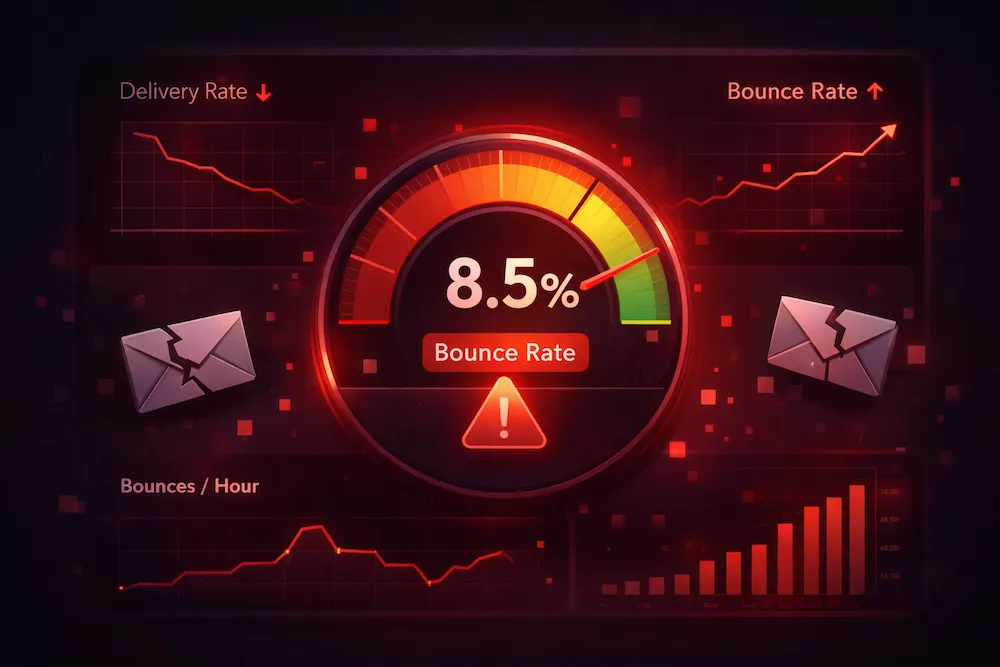
Bounces are a normal part of email. Even the cleanest list will produce some. The problem starts when your bounce rate climbs too high. Mailbox providers like Gmail, Outlook, and Yahoo track your bounce rate as a core signal of your sending quality. A high bounce rate tells them you're sending to addresses you shouldn't be -- and they respond by throttling, filtering, or outright blocking your emails.
There are two categories of bounces, and understanding the difference between them is essential for managing your email program effectively.
What Is a Hard Bounce?
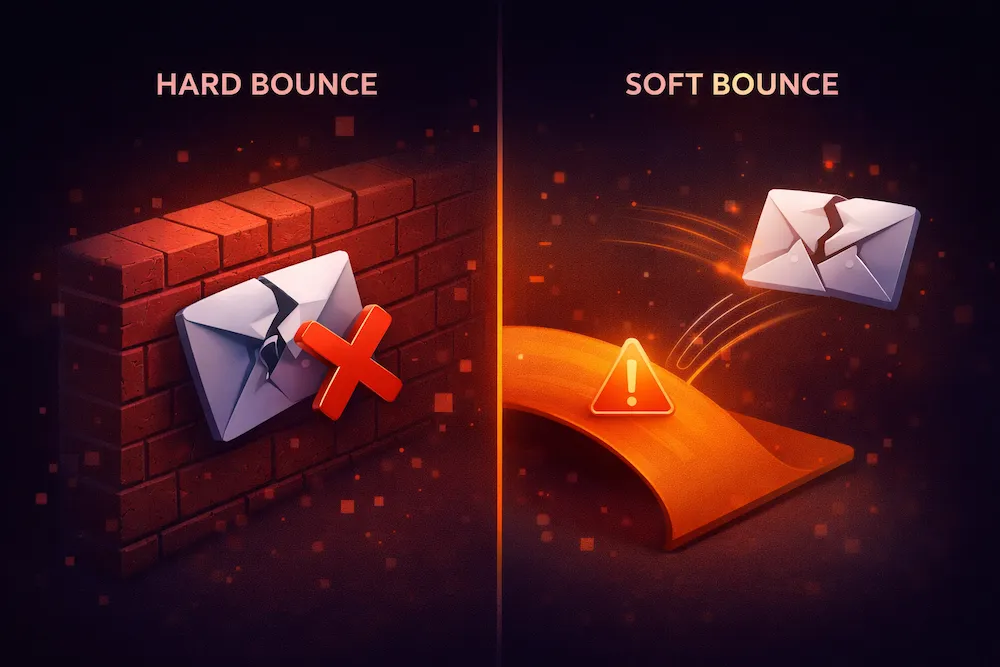
A hard bounce is a permanent delivery failure. The email cannot be delivered now, and it will never be delivered in the future. The receiving server has rejected the message definitively, and retrying won't change the outcome.
When a hard bounce occurs, the receiving server typically returns a 5xx SMTP error code. The most common is 550 -- "User not found" or "Mailbox does not exist." This means the email address itself is invalid. The person either never existed, their account was deleted, or the domain doesn't accept email at all.
Common Causes of Hard Bounces
- Invalid email address -- The address was misspelled during signup (e.g., john@gmial.com instead of john@gmail.com), or the person entered a fake address to get past a form.
- Deleted or deactivated account -- The recipient left the company or closed their email account. Corporate email addresses are especially prone to this during employee turnover.
- Non-existent domain -- The domain in the email address doesn't exist or has no mail server configured. This happens with typos in the domain part (e.g., @companay.com).
- Blocked by recipient server -- Some servers permanently reject emails from certain senders based on blacklisting, content filtering, or policy. If the block is permanent, it's classified as a hard bounce.
- Email address format errors -- Addresses with illegal characters, missing @ symbols, or malformed syntax that make delivery impossible from the start.
A hard bounce is a dead end. The address is permanently unreachable. Every send to a known hard bounce wastes resources and actively damages your reputation.
What Is a Soft Bounce?
A soft bounce is a temporary delivery failure. The email address is technically valid, but something prevented delivery at the time the message was sent. The email might succeed on a subsequent retry -- or it might not.
Soft bounces return 4xx SMTP error codes, indicating a temporary condition. Most email service providers will automatically retry delivery several times over a period of hours or days before giving up and marking the message as a permanent failure.
Common Causes of Soft Bounces
- Mailbox is full -- The recipient's inbox has reached its storage limit and can't accept new messages. This is especially common with free email providers where users don't actively manage their storage.
- Server temporarily unavailable -- The receiving mail server is down for maintenance, experiencing high traffic, or having technical issues. The email would normally be accepted, but the server can't process it right now.
- Message too large -- The email (including attachments) exceeds the size limit set by the receiving server. Most servers accept messages up to 25 MB, but some have lower limits.
- Temporary rate limiting -- You're sending too many emails to the same domain in a short period, and the receiving server is throttling your messages. This is the server's way of saying "slow down."
- DNS resolution failure -- A temporary issue with the recipient's domain DNS prevents the sending server from finding where to deliver the email. This usually resolves on its own.
- Content-based filtering -- Some servers temporarily reject messages that trigger spam filters, returning a soft bounce instead of a permanent rejection. This gives senders a chance to clean up their content and resend.
- Greylisting -- A spam prevention technique where the receiving server temporarily rejects email from unknown senders. Legitimate senders retry automatically and get accepted on the second attempt; spammers typically don't retry.
Hard Bounce vs Soft Bounce: Side-by-Side Comparison
Here's how hard bounces and soft bounces compare across every important dimension:
| Hard Bounce | Soft Bounce | |
|---|---|---|
| Type | Permanent failure | Temporary failure |
| SMTP Code | 5xx (e.g., 550, 551, 553) | 4xx (e.g., 450, 452, 421) |
| Will retry help? | No -- will never be delivered | Maybe -- depends on the cause |
| Immediate action | Remove address from list immediately | Allow ESP to retry; monitor for patterns |
| Reputation impact | Severe -- signals poor list hygiene | Moderate -- repeated soft bounces cause damage |
| Common causes | Invalid address, deleted account, bad domain | Full mailbox, server down, rate limiting |
| Prevention | Email verification before sending | List hygiene + monitoring + throttling |
| Acceptable rate | < 0.5% per campaign | < 2% per campaign (combined with hard) |
How to Handle Hard Bounces
Hard bounces require immediate, decisive action. There is zero reason to keep a hard-bounced address on your list, and every reason to remove it. Here's your playbook:
1. Remove hard-bounced addresses immediately
After every campaign, export your hard bounce list and permanently remove those addresses from your database. Don't just suppress them for the current campaign -- remove them from all future sends. Most ESPs do this automatically, but verify that auto-removal is actually enabled in your settings. Some platforms suppress rather than delete, which can cause confusion.
2. Never re-add hard-bounced addresses
Maintain a global suppression list of every address that has ever hard-bounced. When importing new contacts or merging lists, check incoming addresses against this suppression list before adding them. Re-importing a previously bounced address and sending to it again is one of the fastest ways to damage your reputation.
3. Investigate high hard bounce rates
If a single campaign produces a hard bounce rate above 2%, something is seriously wrong. Common culprits include: an old list that hasn't been used in months, a purchased or rented list (never do this), a data import error that corrupted email addresses, or a signup form without proper validation. Find the source and fix it before sending again.
4. Verify your list proactively
The best way to handle hard bounces is to prevent them entirely. Run your list through an email verification service before sending. Verification identifies invalid, non-existent, and unreachable addresses before they generate bounces. This is especially critical for lists that haven't been cleaned in 30+ days, imported lists from any source, and lists with high signup rates from web forms.
How to Handle Soft Bounces
Soft bounces require a more nuanced approach. Since the failure is temporary, you shouldn't remove addresses after a single soft bounce. But you also can't ignore them indefinitely.
1. Let your ESP retry automatically
Most email service providers will retry soft-bounced messages multiple times over 24-72 hours. This handles the majority of temporary issues -- server downtime, greylisting, and brief rate limiting all resolve themselves with retries. Don't interfere with this process.
2. Track soft bounce patterns over time
A single soft bounce is noise. Three consecutive soft bounces is a signal. Set up tracking to flag addresses that soft bounce across multiple campaigns. An address that soft bounces on 3 or more consecutive sends is very likely an abandoned mailbox or a permanently full inbox -- effectively a hard bounce in disguise.
3. Convert persistent soft bounces to removals
After 3 consecutive soft bounces (or 5 soft bounces within a 30-day period), move the address to your suppression list. At that point, the "temporary" problem has become permanent in practice. Continuing to send only generates more bounces and drags down your metrics.
4. Check for sending-side issues
If you see a spike in soft bounces across many addresses at the same time, the problem might be on your end, not theirs. Check whether you're hitting rate limits with a specific provider, your email size is too large (check attachments), your sending IP is being temporarily throttled, or your DNS records have issues. A sudden cluster of soft bounces to the same domain (e.g., hundreds of soft bounces to @outlook.com) almost always means a sending infrastructure issue, not a list quality issue.
How Bounces Affect Your Sender Reputation
Both types of bounces damage your sender reputation, but they do so at different speeds and to different degrees.
Hard Bounce Impact
SevereEach hard bounce is a direct hit to your reputation. ISPs see it as proof you're sending to addresses that don't exist. Above 2% on any campaign triggers throttling; above 5% can get your IP or domain blacklisted. The damage is immediate and can take weeks to recover from.
Soft Bounce Impact
CumulativeIndividual soft bounces have minimal reputation impact -- ISPs understand temporary issues happen. The danger is accumulation. If the same addresses soft bounce repeatedly and you keep sending to them, ISPs interpret that as you ignoring bounce signals, which erodes trust over time.
Total Bounce Rate Matters Most
Key MetricISPs look at your combined bounce rate -- hard plus soft. Even if your hard bounces are low, a high soft bounce rate still raises red flags. Your goal is to keep total bounces under 2% per campaign, with hard bounces specifically under 0.5%.
Bounce Rate Benchmarks: Where Do You Stand?
How does your bounce rate compare to what mailbox providers consider acceptable? Here are the benchmarks that matter:
< 2%
total bounce rate target -- the industry standard for healthy sending
< 0.5%
hard bounce rate target -- verified lists routinely achieve this
5%+
danger zone -- ISPs will throttle or block your emails
You're running a clean program. List is well-maintained, verification is in place, and you're removing bad addresses proactively. Keep doing what you're doing.
Within acceptable range, but there's room for improvement. You're likely experiencing some list decay between cleans. Consider verifying more frequently or adding real-time verification to your signup forms.
Your bounce rate is high enough to be hurting deliverability. ISPs are likely throttling some of your messages. Stop sending to unverified lists immediately and run a full list clean before your next campaign.
Your sending is being actively harmed. ISPs are blocking or junking your emails. Pause all campaigns, clean your entire list with email verification, remove all invalid and risky addresses, and rebuild gradually.
7 Strategies to Prevent Bounces Before They Happen
The best bounce is one that never happens. Here are the most effective prevention strategies, ranked by impact:
1. Verify your email list before every campaign
This is the single highest-impact action you can take. Email verification checks every address on your list in advance, identifying invalid addresses (future hard bounces), full or inactive mailboxes (likely soft bounces), disposable and temporary addresses, and known problematic addresses. A list that was clean three months ago can have a 5-10% decay rate depending on your audience. Corporate lists decay faster due to employee turnover. Always verify before major sends.
2. Implement real-time verification at the point of capture
Don't wait for invalid addresses to enter your database. Add real-time email verification to your signup forms, checkout flows, and lead capture forms. This catches typos, fake addresses, and disposable emails at the moment they're entered -- before they ever hit your list. It's far cheaper to reject a bad address at signup than to let it generate a bounce on your next campaign.
3. Use double opt-in for new subscribers
Double opt-in requires new subscribers to confirm their email address by clicking a link in a verification email. If the address is invalid, the confirmation email bounces -- but it bounces from a single transactional message rather than a marketing campaign. This means your marketing sends only go to confirmed, real addresses. It's the gold standard for list quality.
4. Remove inactive subscribers regularly
Subscribers who haven't opened or clicked in 6+ months are prime candidates for becoming future bounces. Email accounts get abandoned, mailboxes fill up, and old corporate addresses get deactivated. Run quarterly re-engagement campaigns, and remove anyone who doesn't respond. A smaller, active list will always outperform a large, stale one.
5. Monitor bounce reports after every send
Don't just glance at your overall bounce rate -- dig into the details. Which addresses bounced? What were the bounce codes? Are you seeing patterns (e.g., all bounces from a single domain)? This data tells you exactly where the problem is and how to fix it. Use your ESP's bounce reports and supplement with tools like ClearBounce's Deliverability Kit for deeper monitoring.
6. Never purchase or rent email lists
Purchased lists are the single fastest way to destroy your sender reputation. They contain stale addresses, spam traps, non-existent accounts, and people who never consented to receiving your email. Bounce rates on purchased lists regularly exceed 20-30%. No legitimate email verification service or ESP can make a purchased list safe. Build your list organically through opt-in methods only.
7. Maintain consistent sending patterns
If you haven't emailed your list in months and suddenly send a large campaign, expect higher bounces. Email addresses decay over time, and ISPs become suspicious of senders who go dormant and then blast at full volume. Send at regular intervals to keep your list fresh and your sender reputation healthy. If you need to re-engage an old list, start with a small segment and scale up gradually.
Bounce Handling Checklist
Use this quick-reference checklist to ensure you're handling bounces correctly:
| Action | When | Bounce Type |
|---|---|---|
| Remove address from list | Immediately after bounce | Hard bounce |
| Add to global suppression list | Immediately after bounce | Hard bounce |
| Allow ESP to retry delivery | First occurrence | Soft bounce |
| Flag address for monitoring | After 2nd consecutive soft bounce | Soft bounce |
| Remove persistent soft bouncer | After 3+ consecutive soft bounces | Soft bounce |
| Verify full list | Before every major campaign | Both -- prevention |
| Investigate root cause | When bounce rate exceeds 2% | Both |
| Pause sending and clean list | When bounce rate exceeds 5% | Emergency |
The Bottom Line
Hard bounces and soft bounces are both delivery failures, but they tell you very different things about your email program and require very different responses.
Hard bounces are permanent. They mean the address is dead. Remove it immediately and never send to it again. A single hard bounce is a problem; a pattern of hard bounces is an emergency that threatens your ability to reach any of your subscribers.
Soft bounces are temporary. Give them a chance to resolve through retries, but don't give them unlimited chances. If an address soft bounces repeatedly, treat it as a hard bounce and remove it. Ignoring persistent soft bounces is just a slower path to the same reputation damage.
The most effective approach to both types is prevention. Verify your list before you send. Validate addresses at the point of capture. Use double opt-in. Clean your list regularly. These practices eliminate the vast majority of bounces before they happen, keeping your bounce rate near zero and your sender reputation intact.
Senders who make list verification a non-negotiable part of their process virtually eliminate hard bounces and dramatically reduce soft bounces. Those who don't are constantly fighting reputation damage, deliverability problems, and declining engagement -- problems that cost far more to fix than to prevent.
Stop bounces before they happen.
ClearBounce identifies invalid, risky, and undeliverable email addresses before you hit send -- eliminating hard bounces and catching the addresses most likely to soft bounce. Protect your sender reputation with clean data.
100 free credits. No credit card required.
Verify Your List Free